
QuickBooks & Xero Sync
Keep your books in QuickBooks or Xero, without retyping invoices.
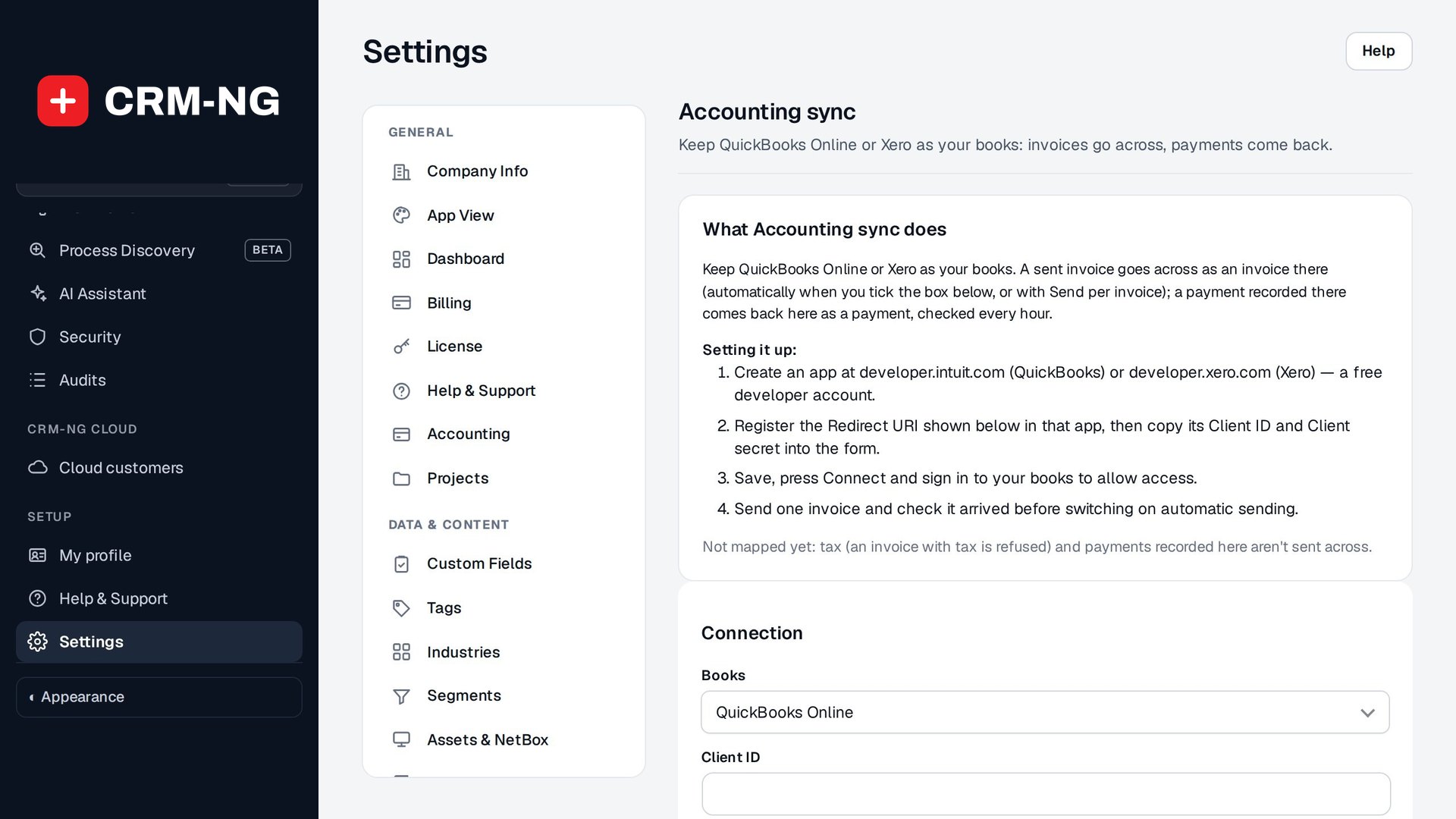
Invoices you send in CRM-NG go to QuickBooks Online or Xero, and payments recorded there come back.
- QuickBooks Online or Xero
- Invoices go across automatically
- Payments come back every hour
- Customers matched or created
Why it matters
Your accountant lives in QuickBooks or Xero, your team invoices somewhere else, and someone retypes every invoice and payment at month end. Mistakes creep in and nobody trusts either set of numbers.
-
No retyping
Invoices reach the books on their own.
-
Payments in one place
Payments recorded in the books come back to CRM-NG.
-
A happy accountant
Your books stay where your accountant works.
How it works
-
Connect
An administrator connects QuickBooks or Xero once.
-
Invoice as usual
Sent invoices go to the books automatically.
-
Payments come back
Every hour, or on demand.
What QuickBooks & Xero Sync does
Businesses whose accountant works in QuickBooks Online or Xero.
-
Two providers
QuickBooks Online or Xero.
-
Automatic invoices
Each sent invoice goes to the books; sending again updates the same one.
-
Customers matched
Found by name, or created.
-
Payments back
Payments recorded in the books come back every hour or on demand.
-
Secure connection
Keys and tokens stored encrypted and refreshed automatically.
-
Honest limits
Invoices with tax are refused rather than sent wrong, until tax is mapped.
Who it is for
-
An IT provider / MSP
Monthly service invoices go to the books with no retyping.
-
A professional-services firm
Time-based invoices land in Xero for the accountant.
-
Any small business
Keep QuickBooks as the books and run the day-to-day in CRM-NG.
Works with the rest of CRM-NG
- Accounting
Invoices and payments stay in Accounting and are copied to the books.
Needs Accounting.
Questions
Is tax supported?
Not yet; an invoice with tax is refused rather than sent wrong.
Do payments go both ways?
Payments recorded in the books come back. Payments recorded in CRM-NG don't go to the books yet.
Which QuickBooks?
QuickBooks Online.
Who can connect it?
Administrators.
See QuickBooks & Xero Sync running on your own data.
Every module runs on CRM-NextGen Cloud: we set it up and run it for you. Beta members get the first invites and hear pricing first.