
Sales
Professional quotes in minutes, accepted online, invoiced in one click.
Build an estimate from your price list or a deal, send it as a branded PDF, let the client accept it in the portal and convert it to an invoice with every line intact.
Why it matters
Quotes typed in a word processor take an evening, carry last month's prices and get lost in email threads. You chase clients for a signature, forget which quotes have quietly expired, and then type the whole thing again as an invoice once the work is agreed.
Quotes and estimates in detail
-
Build from your price list
Add items from Products & Services or custom lines, with quantity, rate, tax and adjustments.
- Start from a deal's items with Create an estimate
- Validity period and terms filled in from your defaults
- Save and send in one step
-
See it as the client will
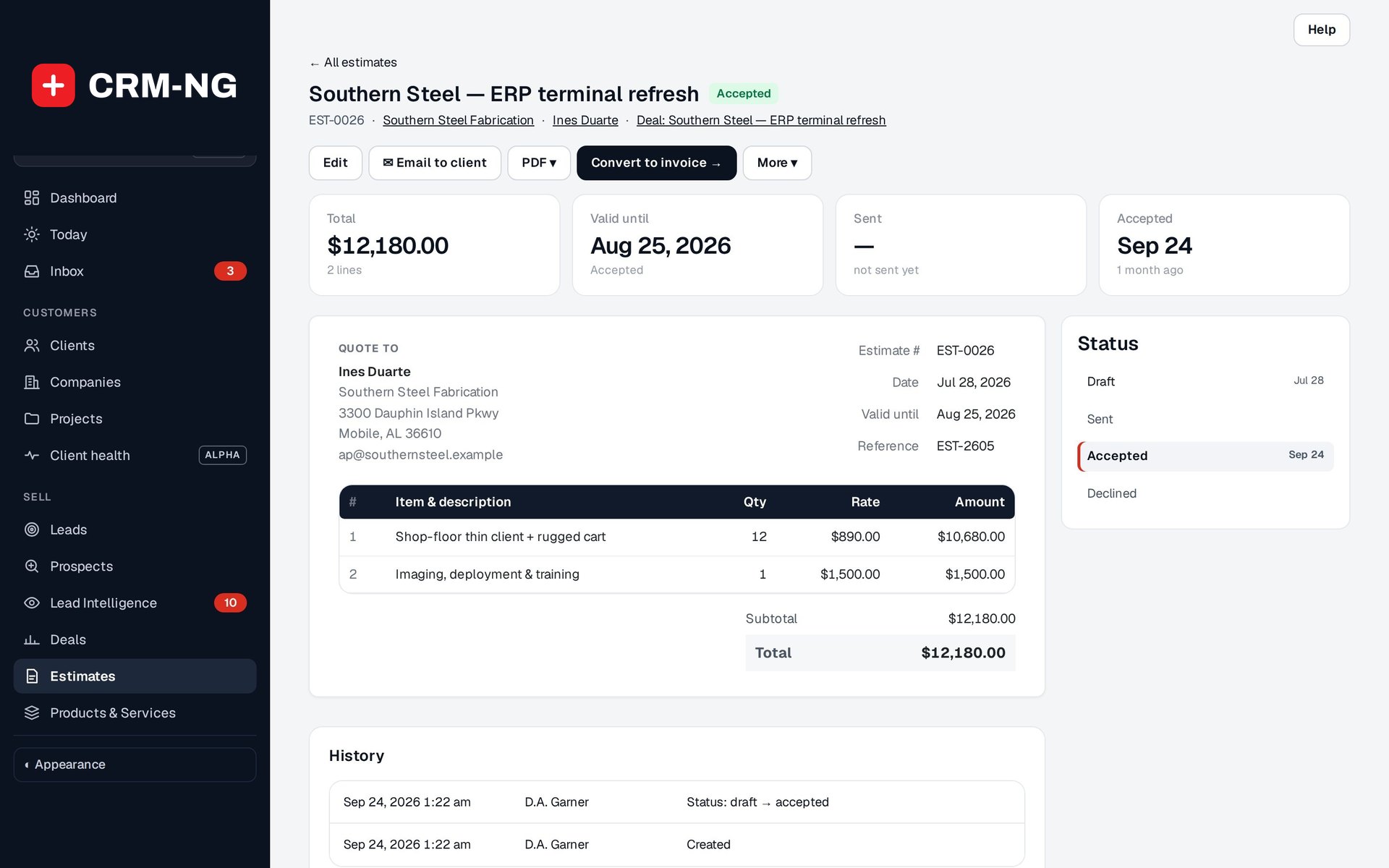
The estimate page shows the document exactly as sent, with tiles for total, valid until, sent and accepted.
- PDF download and Email to client
- Internal notes kept beside the document, never on it
- Status steps with dates
-
Accepted in the portal
Clients see their quotes, open the PDF, and accept or decline with a note.
- Quotes awaiting your reply on the client's portal home
- The owner is notified and the client's words are saved as a note
- Workflows can react to an accepted or declined quote
-
From quote to invoice
Convert to invoice turns an accepted estimate into a draft invoice and locks the estimate.
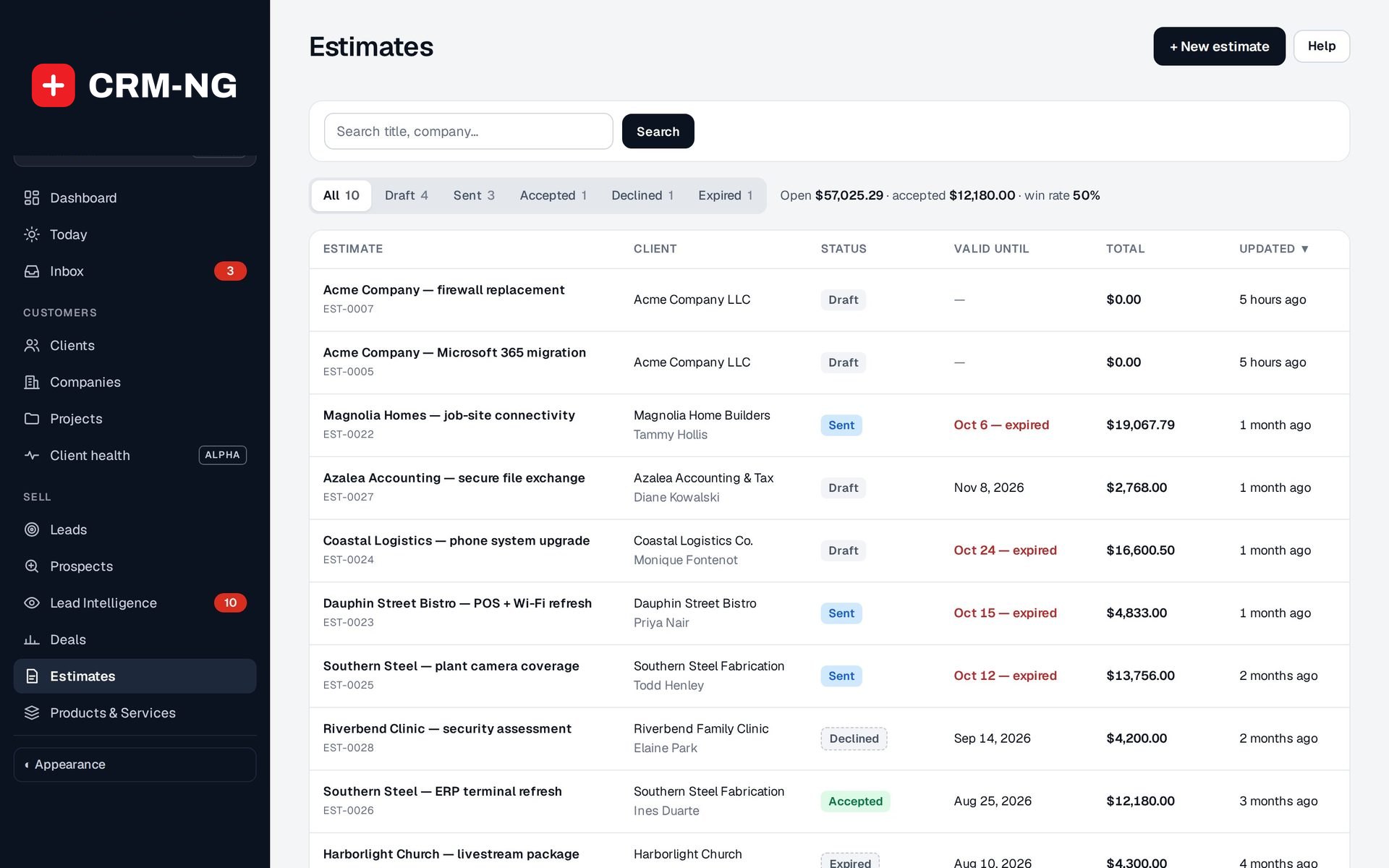
- Expired quotes are flagged in red for follow-up
- Mark as sent, accepted or declined by hand when a client replies by email
Questions
Can a client see a draft quote?
No. Clients only ever see estimates that have been sent to them.
If I change a price in my list, do old quotes change?
No. Each estimate keeps its own copy of the lines, so changing the price list never rewrites a document you have already sent.
How do I know a quote email arrived?
Check the sending result on the estimate and the customer's Emails tab, which lists every email sent to them.
More about Sales
- Prospects
Import target businesses without duplicates, let the score rank them, clean the data in a spreadsheet-style table, and see which lists actually turn into leads.
- Sales overview
See Sales running on your own data.
Every module runs on CRM-NextGen Cloud: we set it up and run it for you. Beta members get the first invites and hear pricing first.