
Inventory
Stock you can count on, down to the serial number.
Serial-numbered units, stock on hand, reorder alerts and stock value, so you never promise a part you do not have. For businesses that sell, install or lend out equipment.
- Serial-number units
- Stock on hand
- Reorder alerts
- Stock value
- Needs Assets
Why it matters
The spreadsheet says ten in stock; the shelf has seven, and nobody knows which serial numbers went to which client. The same unit gets promised twice, warranty claims stall because no one can prove which device was fitted, and reordering happens only when a technician finds an empty box.
-
Never promise twice
Each serial-numbered unit is either in stock or assigned, so the same device cannot be handed out to two jobs.
-
Counts that stay true
Stock on hand is counted from the units themselves, so the number on screen matches the shelf.
-
Reorder before you run out
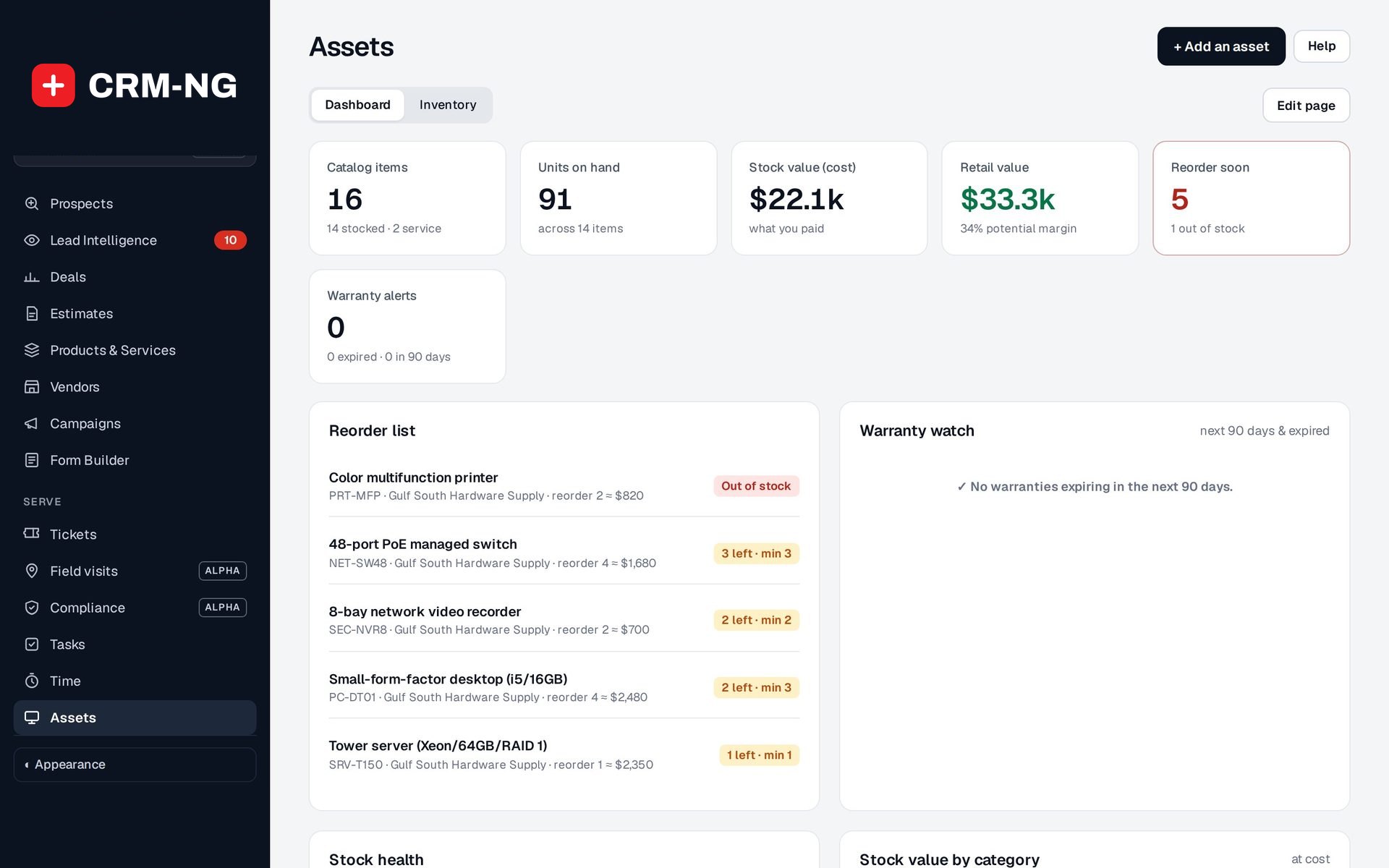
Items at their minimum show on the reorder list with the supplier and cost, and can start a reorder workflow.
How it works
-
Choose serial tracking per item
Switch on track serials for devices that need their own identity; leave consumables as simple quantities.
-
Add the units
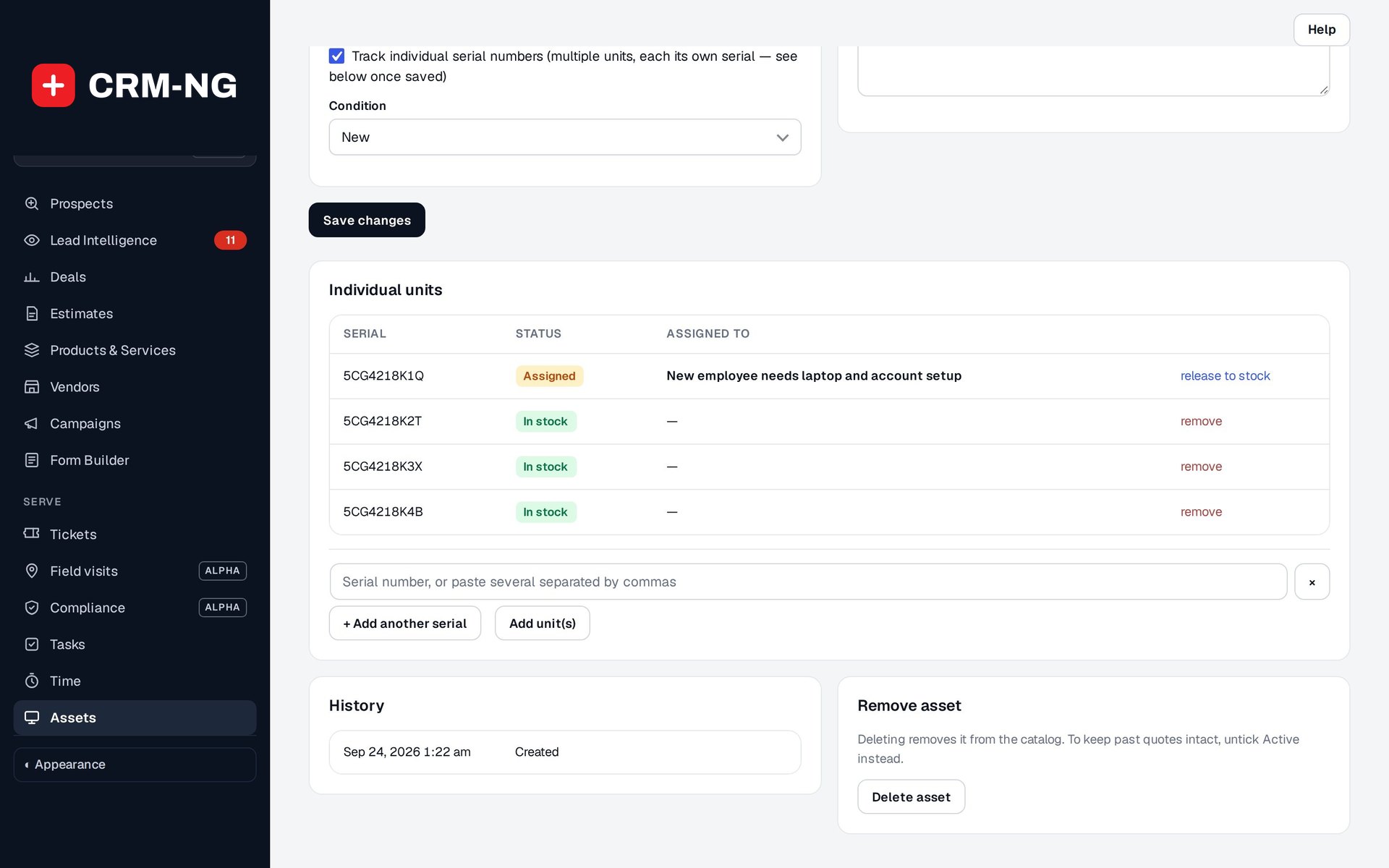
Enter each serial number against the product. Every unit starts in stock.
-
Assign units to the work
Pick the exact unit when you add equipment to a ticket. It is marked assigned; unlink it and it goes back in stock.
-
Watch levels and value
The Assets dashboard shows units on hand, stock value at cost and retail, and what has reached its reorder level.
What Inventory does
Businesses that sell or install equipment.
-
Units, not just counts
Track each unit by serial number, in stock or out at a client.
- A Serial units card on each tracked asset: serial, status and what it is assigned to
- Add, remove and release units
- Each unit can only be assigned once at a time
-
On hand is always true
Stock counts come from the units themselves, so they never drift.
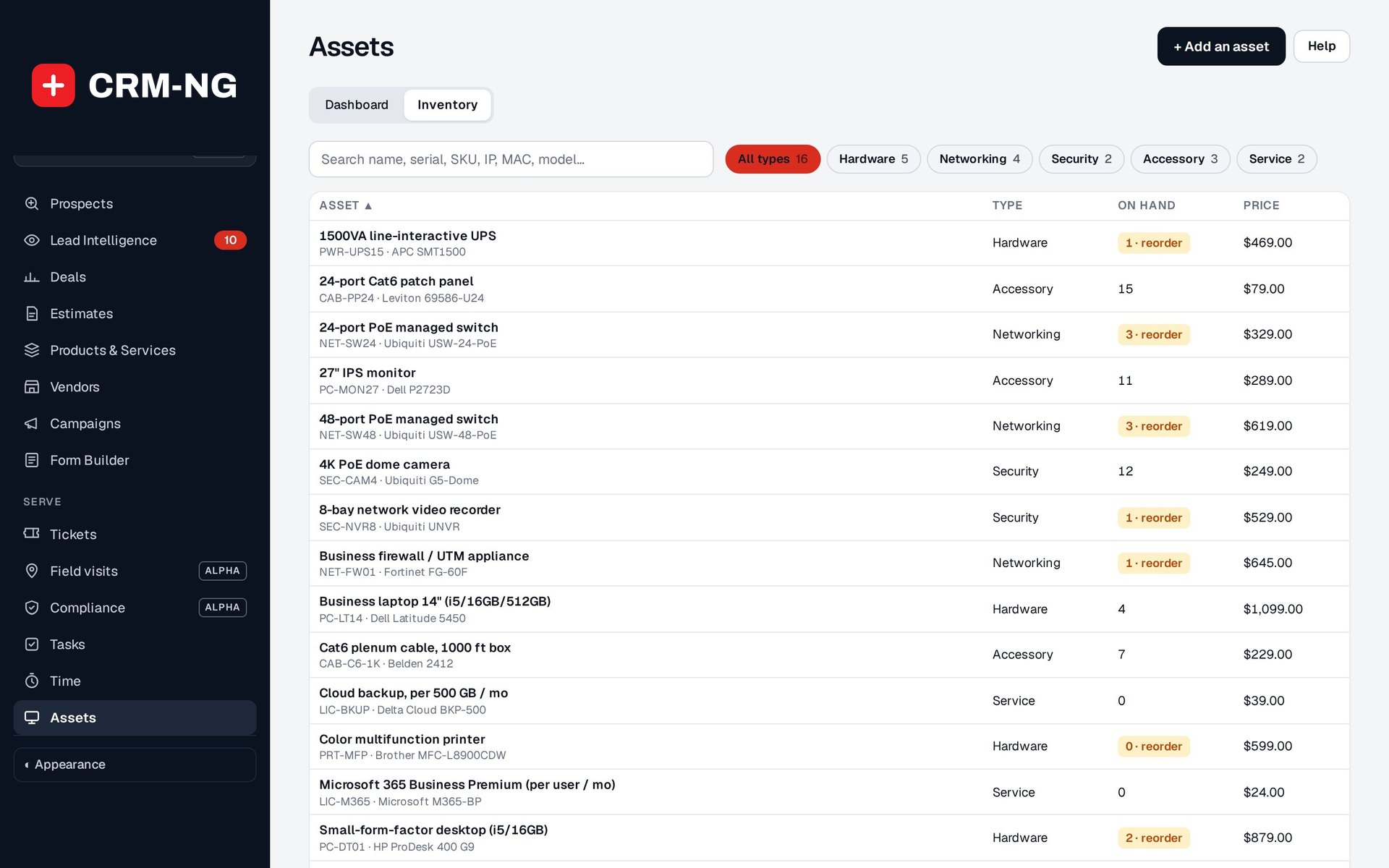
- For tracked items, on hand is the number of units in stock
- Bulk items keep a simple quantity, untouched
-
Reorder in time
Set a minimum and see what is running low.
- Reorder level and reorder quantity per item
- Reorder list with supplier, quantity and approximate cost
- A stock-at-reorder-level trigger for workflows
-
Stock value
What your stock cost and what it is worth.
- Stock value at cost and retail value with potential margin
- Stock value by category
- Inventory Valuation report when Accounting is on
-
From quote to invoice
Products in stock appear on estimates and invoices.
- Stocked products come from your Products and Services catalogue
- Adding stocked items to an invoice takes them out of stock
- Supplier purchases can add to quantities for non-serialised items
-
Find any serial
Search the inventory by any serial number, including every tracked unit.
- One search box for serial, SKU, tag, MAC or model
- See which ticket a unit went to
-
Built on Assets
Every unit is an asset record with its history.
- Switch Inventory off and serial-tracked items act as plain quantities again
- Your serial settings and units are kept and count again when it is switched back on
Who it is for
-
An IT provider or MSP
Know exactly which firewall or switch serial went to which client ticket, keep spares at their minimum, and prove what was installed when a warranty claim comes up.
-
A security or audio-visual installer
Track cameras, recorders and displays by serial from stock to site, and reorder popular models before a big install.
-
A reseller or equipment supplier
See stock value at cost and retail, sell from the same catalogue you quote from, and keep counts honest as items go out on invoices.
Works with the rest of CRM-NG
- Assets
Inventory adds serial-number units to Assets records; Assets holds the products, quantities, warranties and dashboard.
- Sales
Stocked products from the catalogue go onto estimates, and suppliers come from your vendors.
- Accounting
Invoices take stock out, purchases can put it back, and the books can value inventory and record the cost of goods sold.
- Service Desk
The exact serial unit used on a ticket is assigned to it, and returns to stock if it is unlinked.
Needs Assets.
Questions
Do I have to track every item by serial number?
No. Serial tracking is switched on per item. Cables, consumables and other interchangeable stock stay as simple quantities.
What happens if I switch Inventory off?
Serial-tracked items behave as plain quantities. Your units and settings are kept and count again when you switch it back on.
Do purchases add serial numbers automatically?
No. Purchases can increase quantities for non-serialised items, but serial-numbered units are entered on the item so each one is checked.
Can I see where a particular unit went?
Yes. Each unit shows whether it is in stock or assigned, and what it is assigned to, and searching for the serial finds it.
See Inventory running on your own data.
Every module runs on CRM-NextGen Cloud: we set it up and run it for you. Beta members get the first invites and hear pricing first.