
Compliance
Assess a client against a framework and show them the gaps.
A library of frameworks, client assessments with scoring and evidence, gaps that become tickets, and a report you can hand the client. For MSPs and IT firms serving healthcare, finance, defence and insured clients.
- HIPAA, CMMC Level 1, NIST CSF 2.0
- FTC Safeguards, cyber insurance, IT baseline
- Your own frameworks
- Gaps become tickets
- A printable client report
Why it matters
A clinic asks whether they meet HIPAA, an insurer sends a fifty-question form, and an accounting client has heard about the FTC Safeguards Rule. You answer from a downloaded checklist in a spreadsheet, the evidence ends up in email, and the gaps you find never turn into scheduled work. Next year you start again from scratch, with nothing to show the client how far they have come.
-
Assessments that turn into work
Every No or Partially becomes a gap with a severity, and a gap becomes a ticket in one click, so findings get fixed instead of filed.
-
A report clients understand
Hand the client a report with a score, plain-language findings, a remediation plan and the evidence on file, ready to print or save as PDF.
-
Honest about what was checked
Each answer records whether it was self-reported, checked by staff or independently assessed, and the result never claims a client is "compliant".
How it works
-
Pick a framework
Choose HIPAA Security Rule, CMMC Level 1, NIST CSF 2.0, the FTC Safeguards Rule, Cyber insurance readiness or the Essential IT security baseline, or a framework you built yourself.
-
Start an assessment for a client
Pick the company, the client contact, the owner on your team and a due date. The assessment appears on the Compliance overview and the client's company page.
-
Answer and attach evidence
Work through each section answering Yes, Partially, No or N/A, note what you found, record how it was checked and attach evidence files. Answers save as you go and the score updates live.
-
Turn gaps into tickets
Review the gaps by severity, set each to Open, Fixed or Accepted risk, and create tickets, one at a time or for all high gaps at once.
-
Send the report
Open the report, print it or save it as PDF, and mark it sent. When a gap's ticket is resolved, the gap is marked fixed.
What Compliance does
MSPs and IT firms serving healthcare, finance, defence and insured clients, and any IT provider that wants a structured security review.
-
A framework library
HIPAA Security Rule, CMMC Level 1, NIST CSF 2.0, the FTC Safeguards Rule, cyber insurance readiness and an IT baseline, or build your own.
- HIPAA Security Rule: 50 questions across administrative, physical and technical safeguards
- CMMC Level 1 (FAR 52.204-21): the 17 practices
- NIST CSF 2.0: 37 questions; FTC Safeguards Rule: 22
- Cyber insurance readiness: 26; Essential IT security baseline: 31
-
Your own frameworks
Duplicate a built-in framework to adapt it, or write your own question set for a standard you license or a client's internal policy.
- Add, edit, reorder and remove questions
- Each question has a reference, guidance and a severity if the answer is no
- Built-in frameworks stay read-only, so updates never overwrite your edits
- Switch a framework off, or delete it when unused
-
An assessment runner built for the job
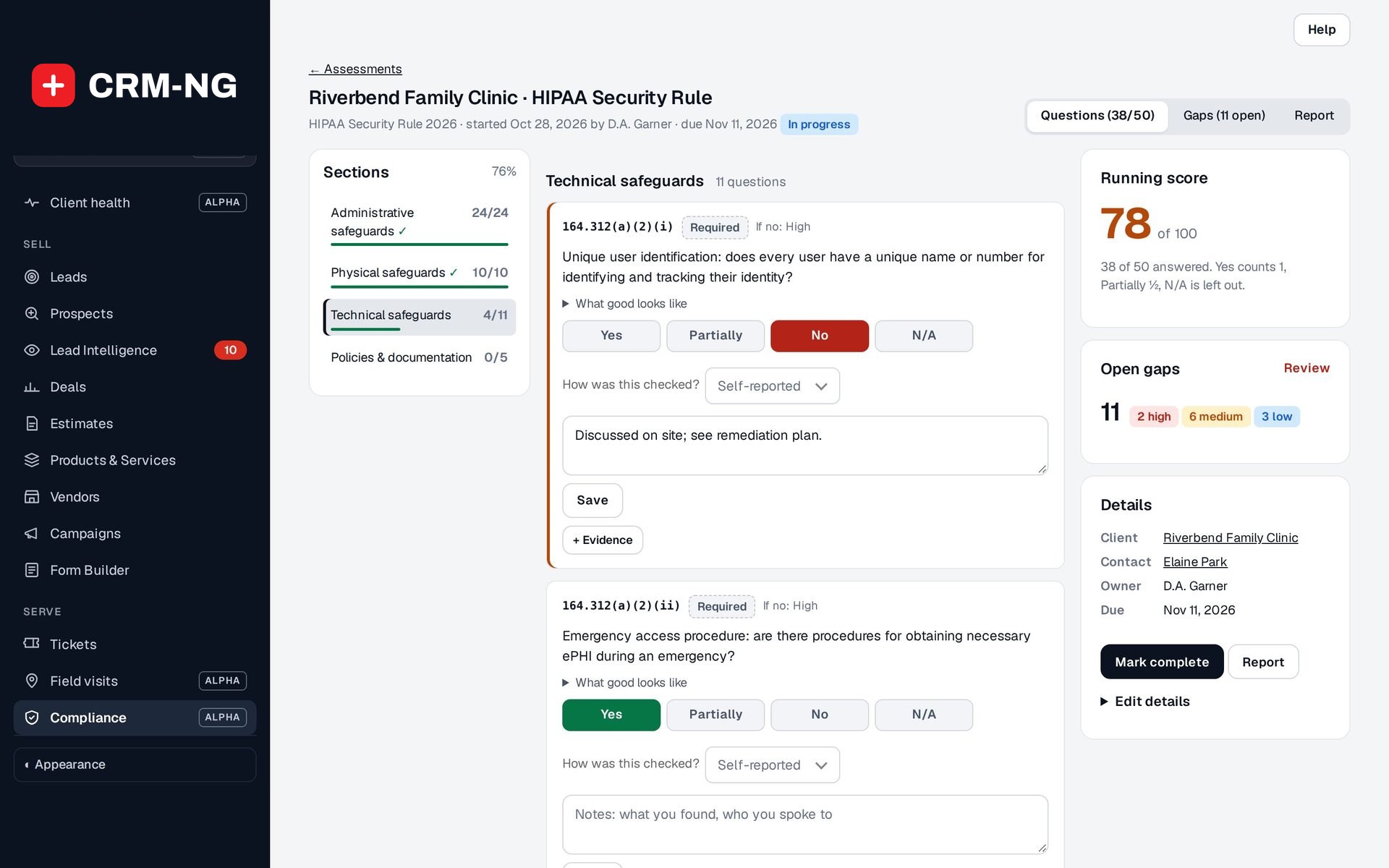
Sections with progress bars, one-click answers and autosave, so an assessment can be done on site with the client.
- Yes / Partially / No / N/A with a note per question
- "What good looks like" guidance on each question
- Required and addressable items marked on HIPAA questions
- Section progress and overall % complete
-
Evidence, not ticks
Record how each answer was checked: self-reported, verified by staff or checked independently.
- How was this checked? Self-reported, Checked by staff or Independently assessed
- Evidence files attached to the answer
- Evidence kept in encrypted private storage and opened only after a permission check
-
Scores that add up
A running score per section and overall, with a simple rule anyone can follow.
- Yes counts 1, Partially ½, N/A is left out
- Bands: 80 and above good, 60 to 79 fair, below 60 poor
- Average score across assessments on the overview
-
Gaps become work
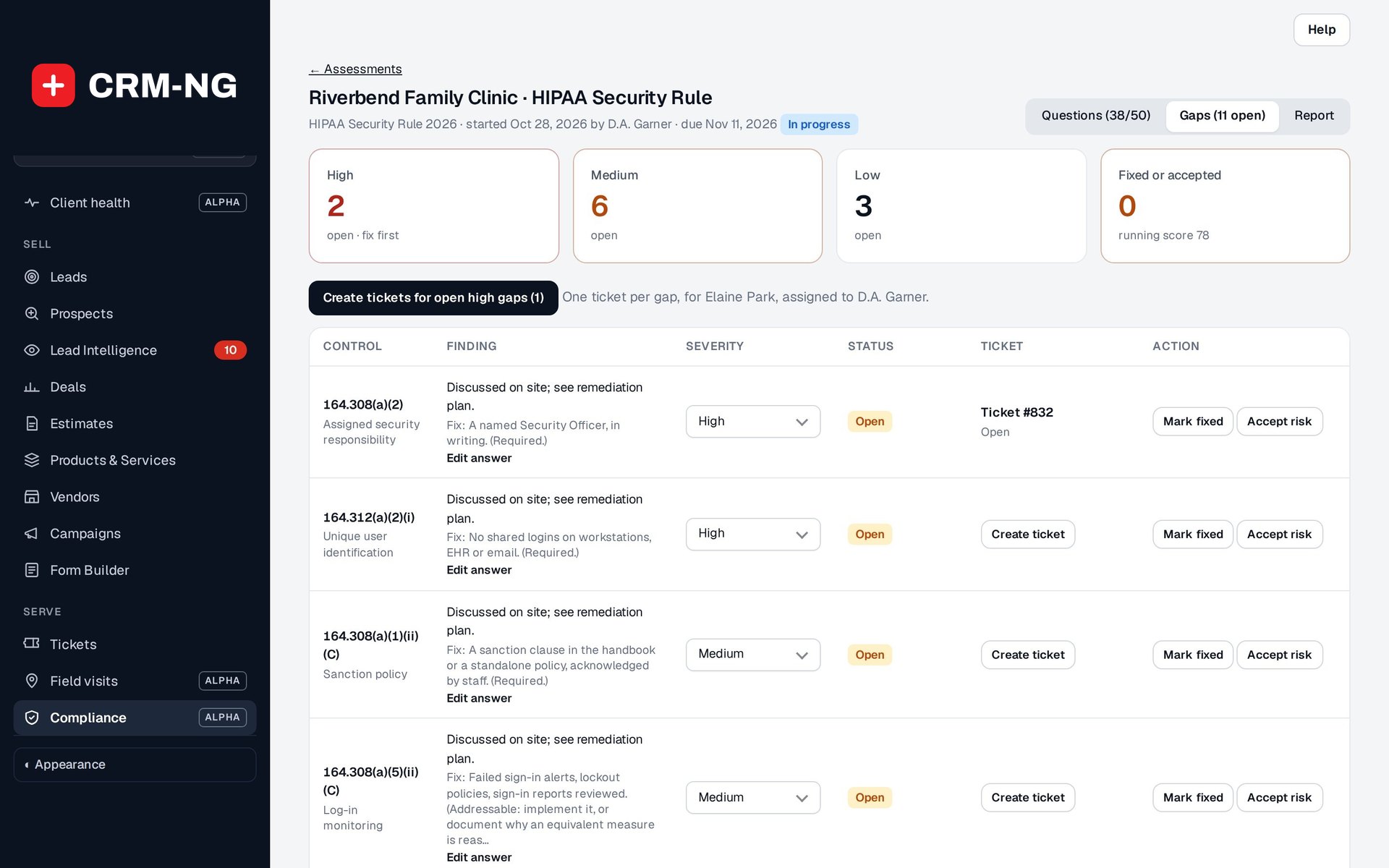
Turn a gap into a ticket in one click, with its priority.
- Every No or Partially is a gap with a severity (High, Medium, Low), which you can change
- Status: Open, Fixed or Accepted risk
- Create tickets for all high gaps at once
- Resolving the ticket marks the gap fixed; the ticket shows a Compliance gap card
-
A report for the client
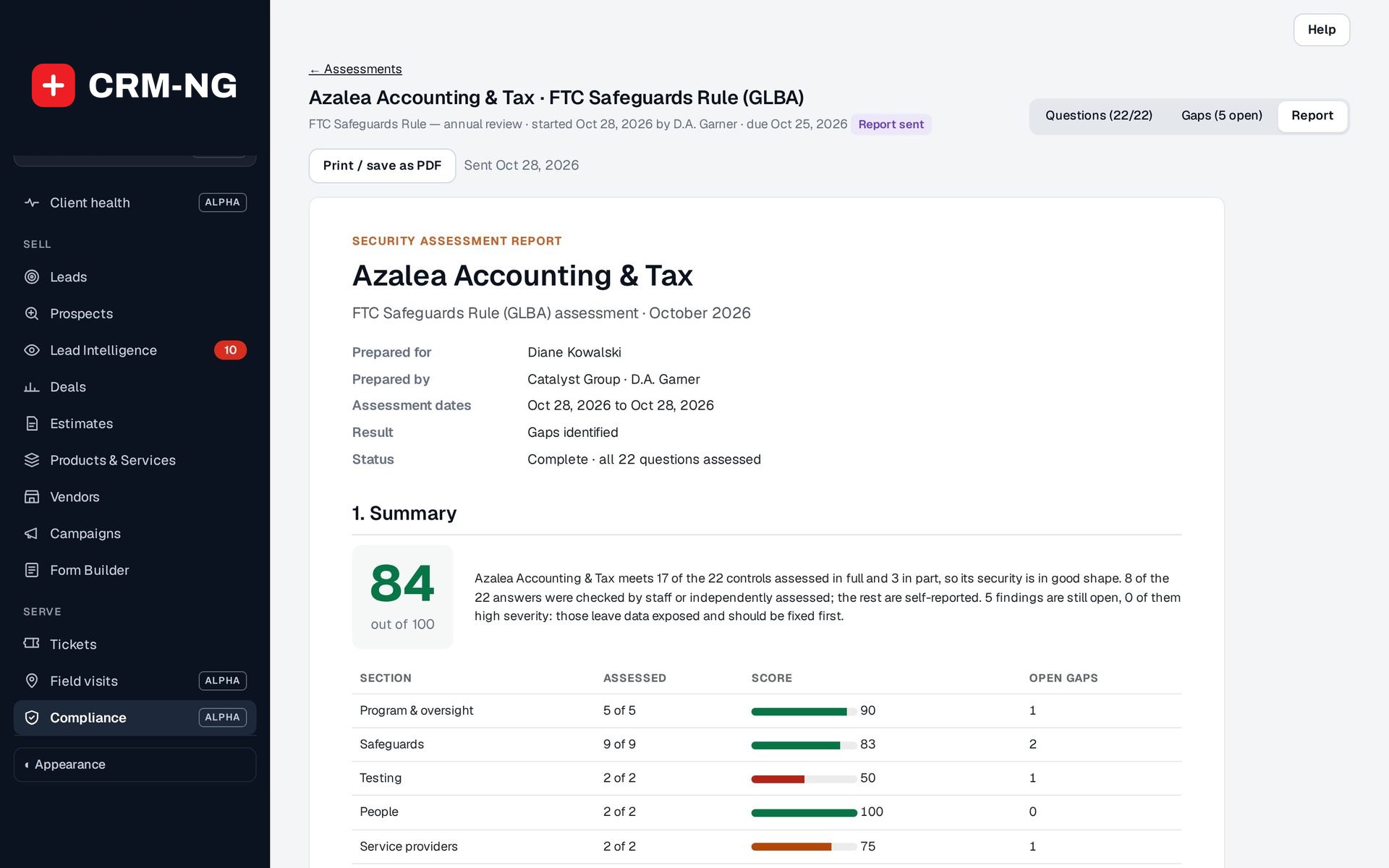
Printable or PDF, with the summary, sections and open gaps. It never claims a client is "compliant".
- Cover, Summary, What we found, Remediation plan, Evidence on file, Sign-off
- Result: Not assessed, Gaps identified, No gaps reported or Verified for the controls assessed
- Says how many answers were checked by staff or independently
- Print / save as PDF, then mark the report sent
-
An overview of every client
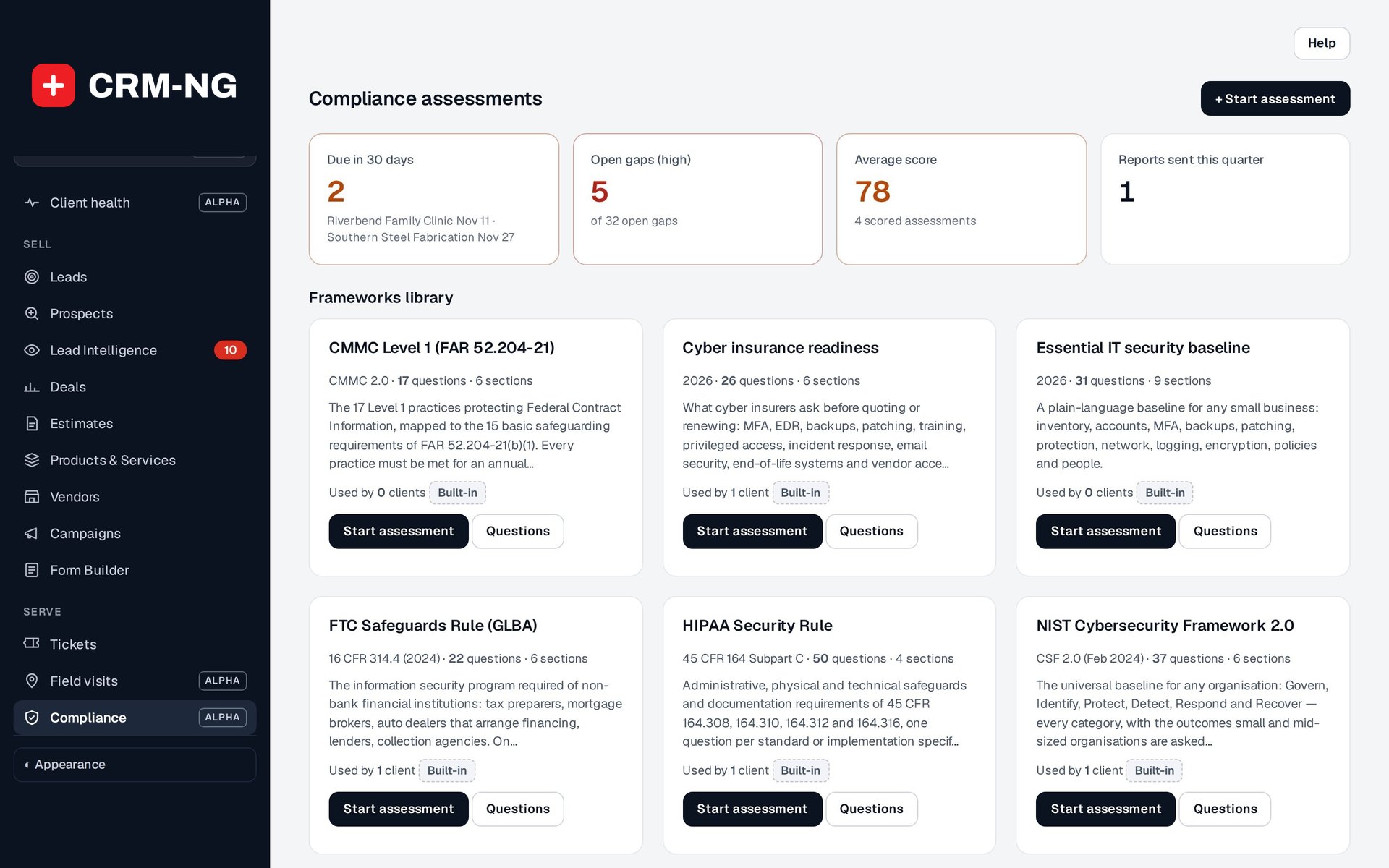
See which assessments are due, how many high gaps are open and how your clients are scoring.
- Tiles: Due in 30 days, Open gaps (high), Average score, Reports sent this quarter
- Assessments table with client, framework, score, open gaps, due date, owner and status
- Overdue assessments flagged
-
Feeds Client Health
The latest assessment counts towards the client's health score, and the company page shows each framework's latest score.
- A Compliance factor in Client Health
- Company page card with the latest assessment per framework
See it in action
Go deeper
Who it is for
-
An IT provider or MSP
Run the Essential IT security baseline with every new client during onboarding, show them the gaps, and turn the fixes into ticketed, billable work.
-
An IT firm serving clinics and practices
Walk a medical or dental practice through the HIPAA Security Rule, attach evidence such as backup reports and training records, and hand them a report with a remediation plan.
-
An IT firm serving accountants and lenders
Tax preparers, mortgage brokers and other non-bank financial firms are assessed against the FTC Safeguards Rule, with each element of the rule as one question.
-
An IT firm serving insured and defence clients
Prepare clients for cyber insurance applications and renewals with the Cyber insurance readiness set, or assess defence suppliers against CMMC Level 1.
Works with the rest of CRM-NG
- Service Desk
A gap becomes a ticket with its priority, the ticket shows a Compliance gap card, and resolving or closing the ticket marks the gap fixed.
- Documentation Vault
Many assessment questions ask about things the vault documents, such as backups, encryption and privileged accounts, so the facts you need are already written down; nothing is copied between them automatically.
- Client Health
The latest assessment is one of the factors in the client's health score.
- Document Manager
Policies and agreements a gap calls for, such as a business associate agreement, can be sent to the client to sign through the Document Manager.
Questions
Does using this make my client compliant?
No. It helps you assess a client against a framework, record evidence, track the gaps and report on them. The report states what was found and how it was checked, and never says a client is "compliant" or certified.
Which frameworks are included?
HIPAA Security Rule, CMMC Level 1 (FAR 52.204-21), NIST CSF 2.0, the FTC Safeguards Rule, Cyber insurance readiness and an Essential IT security baseline. CIS Controls and PCI DSS are licensed texts and are not included, but you can add them, or any other standard, as your own framework.
Can we change the questions?
Built-in frameworks are read-only so they stay as published, but you can duplicate any of them and change the copy, or build a framework from scratch.
Do we need Service Desk?
No. Gaps, severities and statuses work on their own. With Service Desk on, a gap can become a ticket, and closing the ticket marks the gap fixed.
Who can see an assessment and its evidence?
Your staff with CRM access can view assessments; changing them takes manage rights, and only administrators edit frameworks. Evidence files are stored encrypted and opened only after a permission check. A gap ticket is visible to the client contact in their portal.
Can we run the same framework again next year?
Yes. Start a new assessment for the same client and framework; earlier assessments stay on the overview and the company page so you can compare scores.
See Compliance running on your own data.
Every module runs on CRM-NextGen Cloud: we set it up and run it for you. Beta members get the first invites and hear pricing first.