
Compliance
From findings to fixes to a report the client can read.
Gaps ranked by severity, tickets to fix them, and a report with a remediation plan and the evidence on file.
Why it matters
An assessment that ends as a list of problems in a PDF changes nothing. The fixes need owners and dates, the client needs to understand what matters most, and you need to show next time what has been done and what the client chose to live with.
Gaps and client reports in detail
-
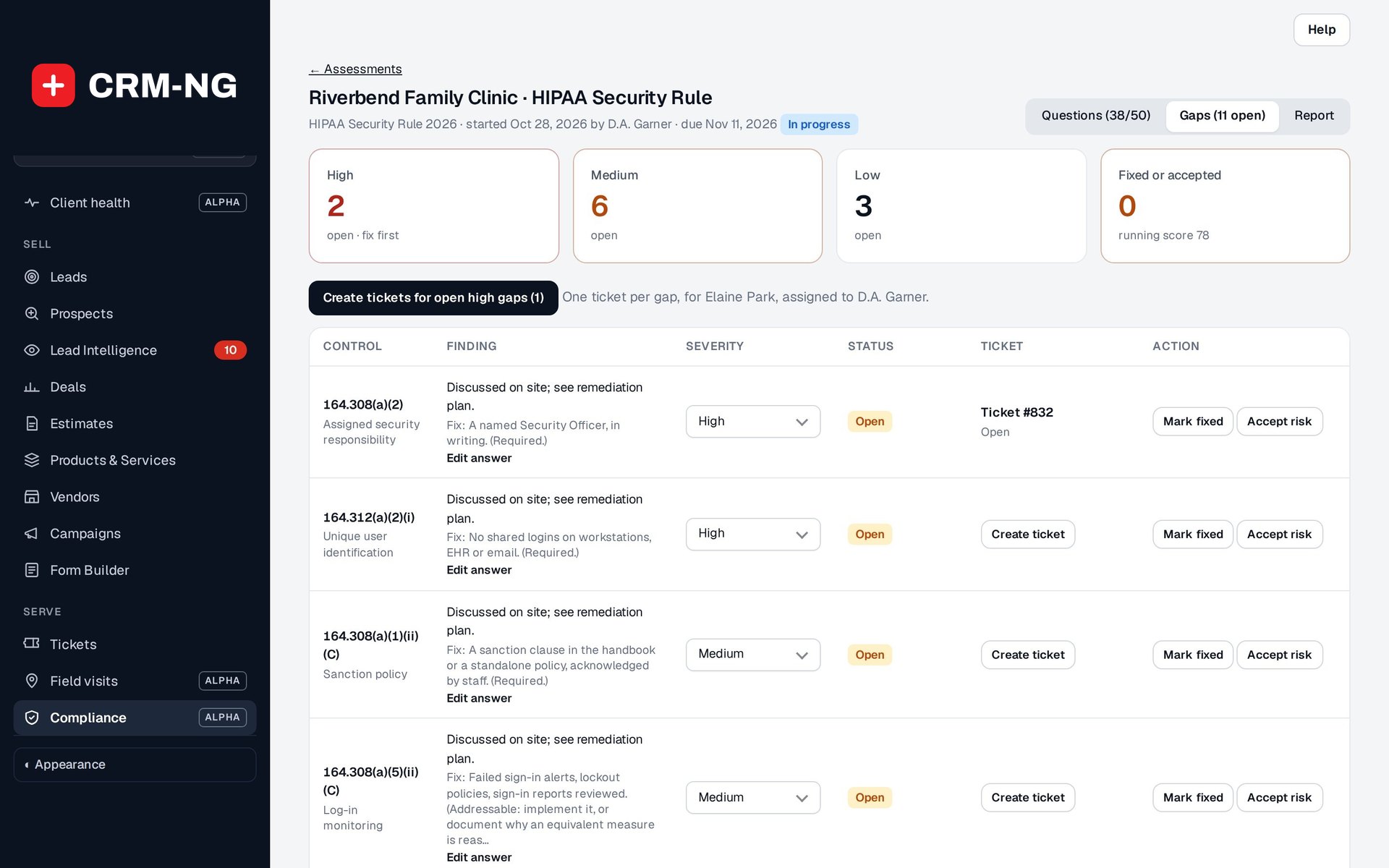
Gaps by severity
Every No or Partially answer becomes a gap you can manage.
- High, Medium and Low counts at the top
- Open, Fixed or Accepted risk
- Severity can be changed per gap
-
Tickets for the fixes
With Service Desk on, gaps become tickets with their priority.
- One gap at a time, or all high gaps at once
- Resolved or closed ticket marks the gap fixed
- Compliance gap card on the ticket
-
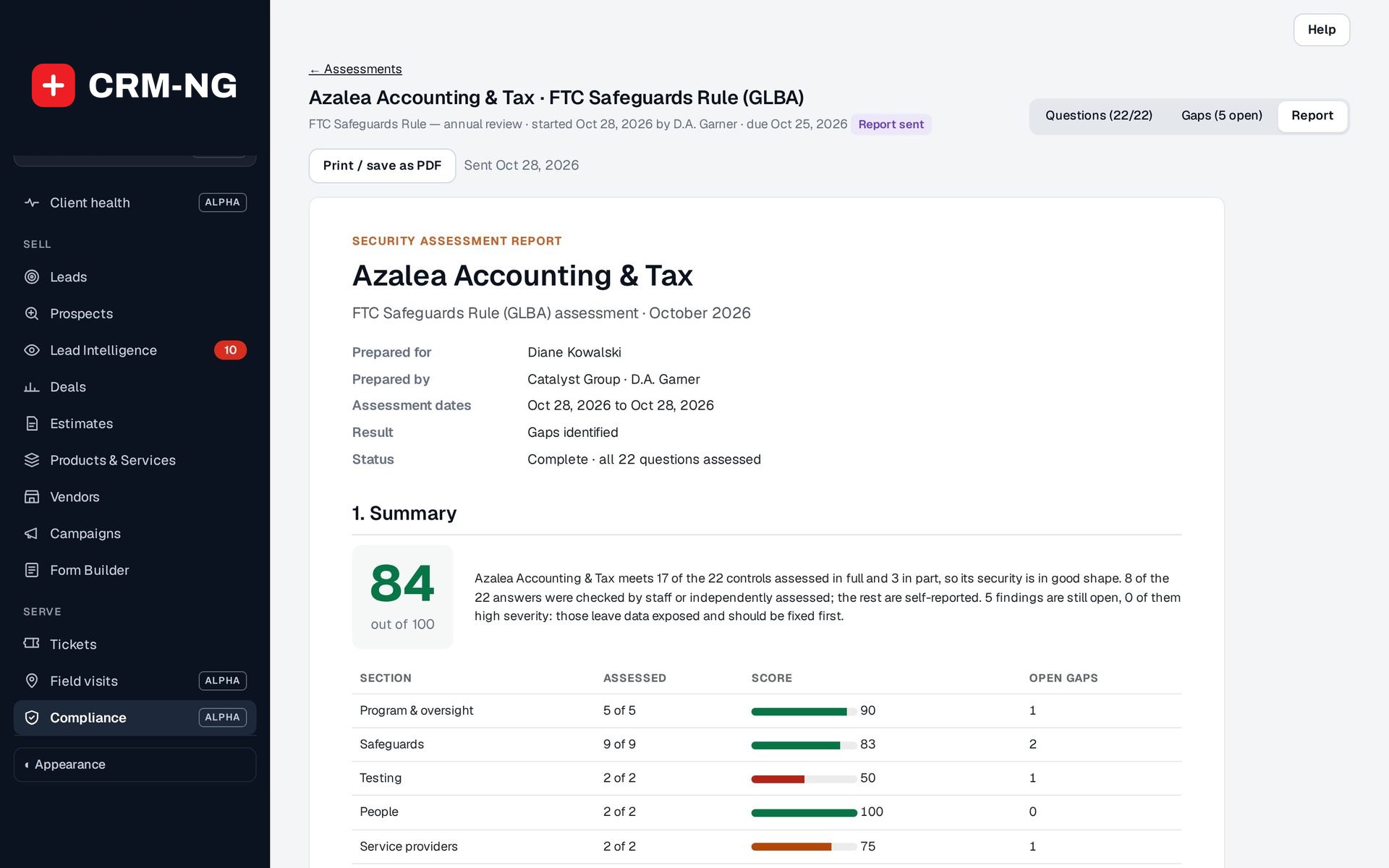
The client report
Five sections in plain language, ready to print or save as PDF.
- Summary with score and result
- What we found, Remediation plan, Evidence on file
- Sign-off with prepared-by and client signature lines
-
An honest result
The result says exactly what the assessment shows.
- Not assessed, Gaps identified, No gaps reported, or Verified for the controls assessed
- How many answers were checked by staff or independently
Questions
What does "Accepted risk" mean?
The client has decided not to fix a gap, for example because another measure covers it. The gap stays on the report with that status instead of disappearing.
Can the client see the report in their portal?
The report is printed or saved as PDF and sent by you, then marked sent. Gap tickets, however, appear in the client contact's portal like any other ticket.
Does the report use our branding?
The report names your business as the preparer and the client contact it was prepared for.
More about Compliance
- Assessments and frameworks
Built-in frameworks written in plain language, your own question sets, and an assessment screen that scores as you go.
- Compliance overview
See Compliance running on your own data.
Every module runs on CRM-NextGen Cloud: we set it up and run it for you. Beta members get the first invites and hear pricing first.