
HR
Give employees, managers and HR one place for the routine work.
Employee records, departments and teams, time off with approvals, attendance, reviews, training and recruitment, with a self-service portal for staff. For growing teams that have outgrown a spreadsheet and a shared inbox.
- Employee profiles and an org chart
- Time off and approvals
- Attendance
- Reviews, skills and training
- Recruitment
- Employee self-service
Why it matters
Holiday requests arrive by text, email and a word in the corridor. The leave spreadsheet is out of date, nobody is sure who approves what when a manager is away, and training certificates expire without anyone noticing. Employee details sit in a folder, the org chart is a slide from last year, and every new hire means a checklist someone has to remember to start.
-
Requests that never stall
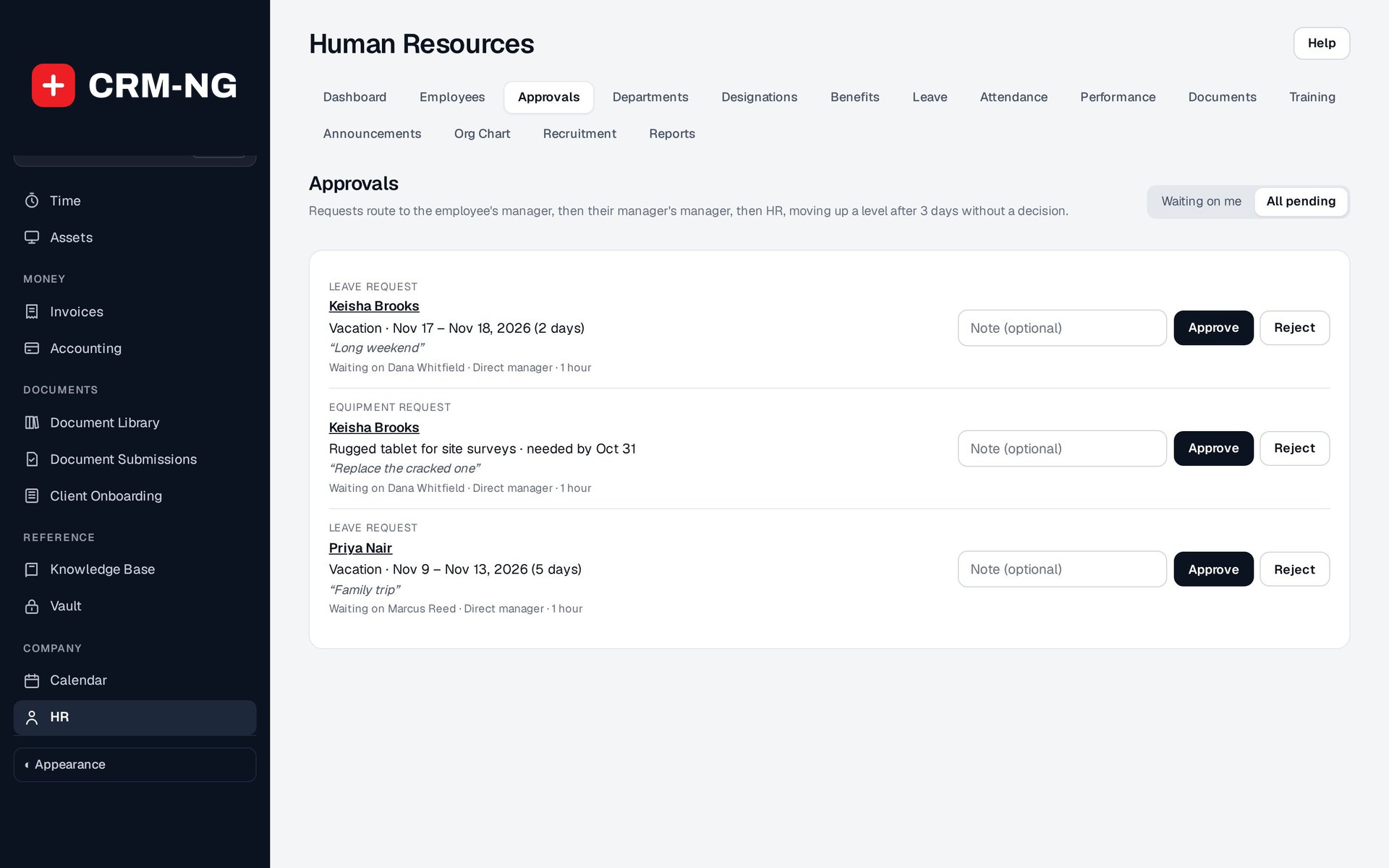
Time off and other requests go to the right manager, move up a level when nobody answers, and can be decided straight from the email.
-
One true record per person
Job, team, manager, documents, leave, reviews, skills and equipment live on one profile, with pay visible only to the people allowed to see it.
-
Less HR admin
Staff check their own balances, request leave and read announcements in their portal, so HR answers fewer of the same questions.
How it works
-
Build the organisation
Create departments, teams, job titles (designations) and benefit classes, then decide who maintains records, who sees pay and who approves requests.
-
Add your people
Add each employee with their job details and manager. The org chart and the approval chain are drawn from those reporting lines.
-
Open the employee portal
Send staff a welcome email with a link to their own portal, where they see their profile, leave balances, documents and announcements.
-
Run the day to day
Leave requests route to managers, attendance is recorded, reviews and training are kept on each profile, and candidates move through recruitment.
-
Check the numbers
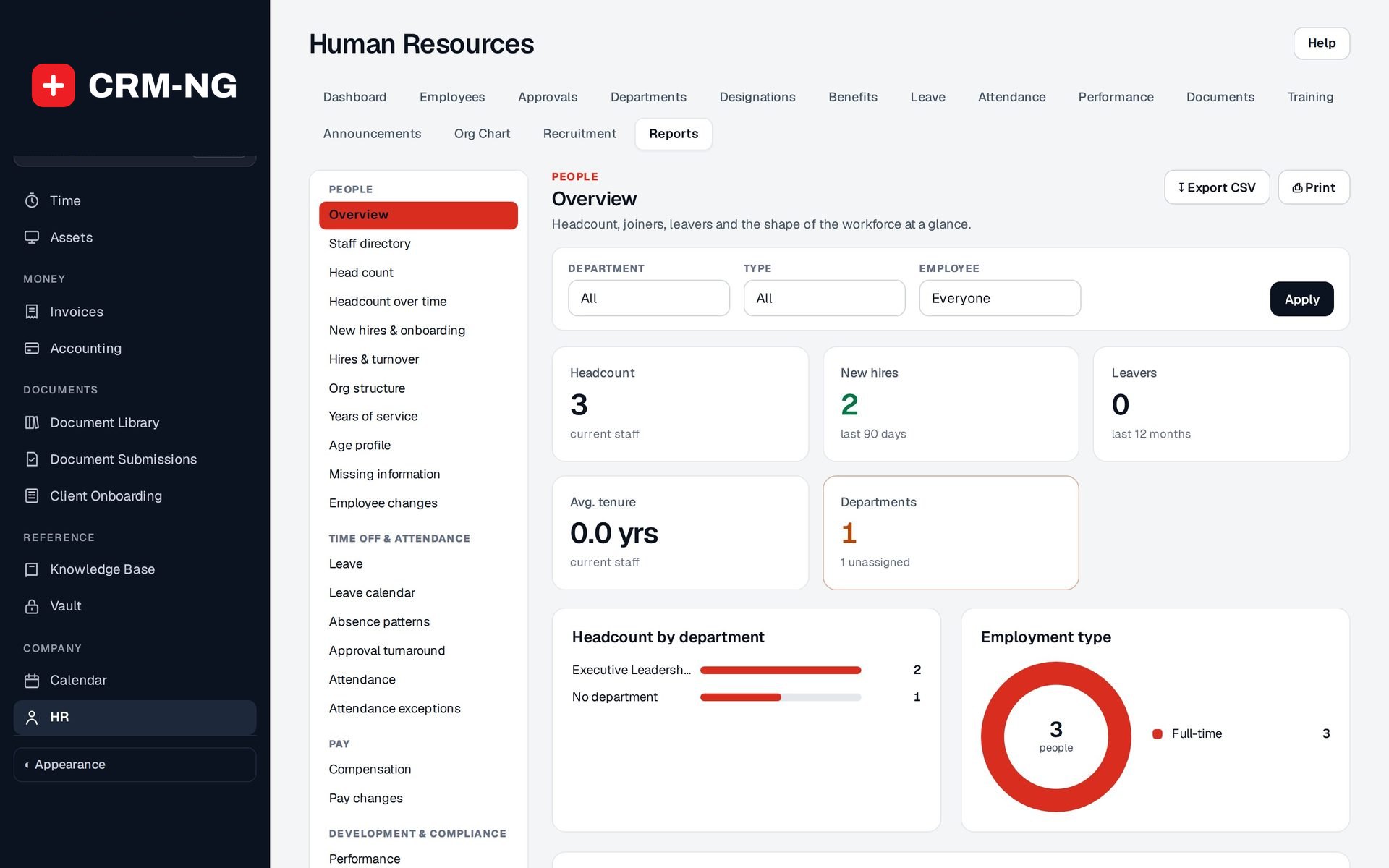
Thirty report views cover headcount, turnover, leave, attendance, pay, skills, training, equipment and workload.
What HR does
Growing teams that have outgrown a spreadsheet of holidays.
-
Employee records
Job, department, team, manager, documents and history on one profile, with an org chart that draws itself.
- Profile tabs: General Info, Job, Leave, Notes, Performance, Permission, Assets, Documents, Training and Security
- Employment type such as full-time, part-time or contractor; status active, on leave or terminated
- A history of every field change
- Search staff by name or by skill
-
Org chart and structure
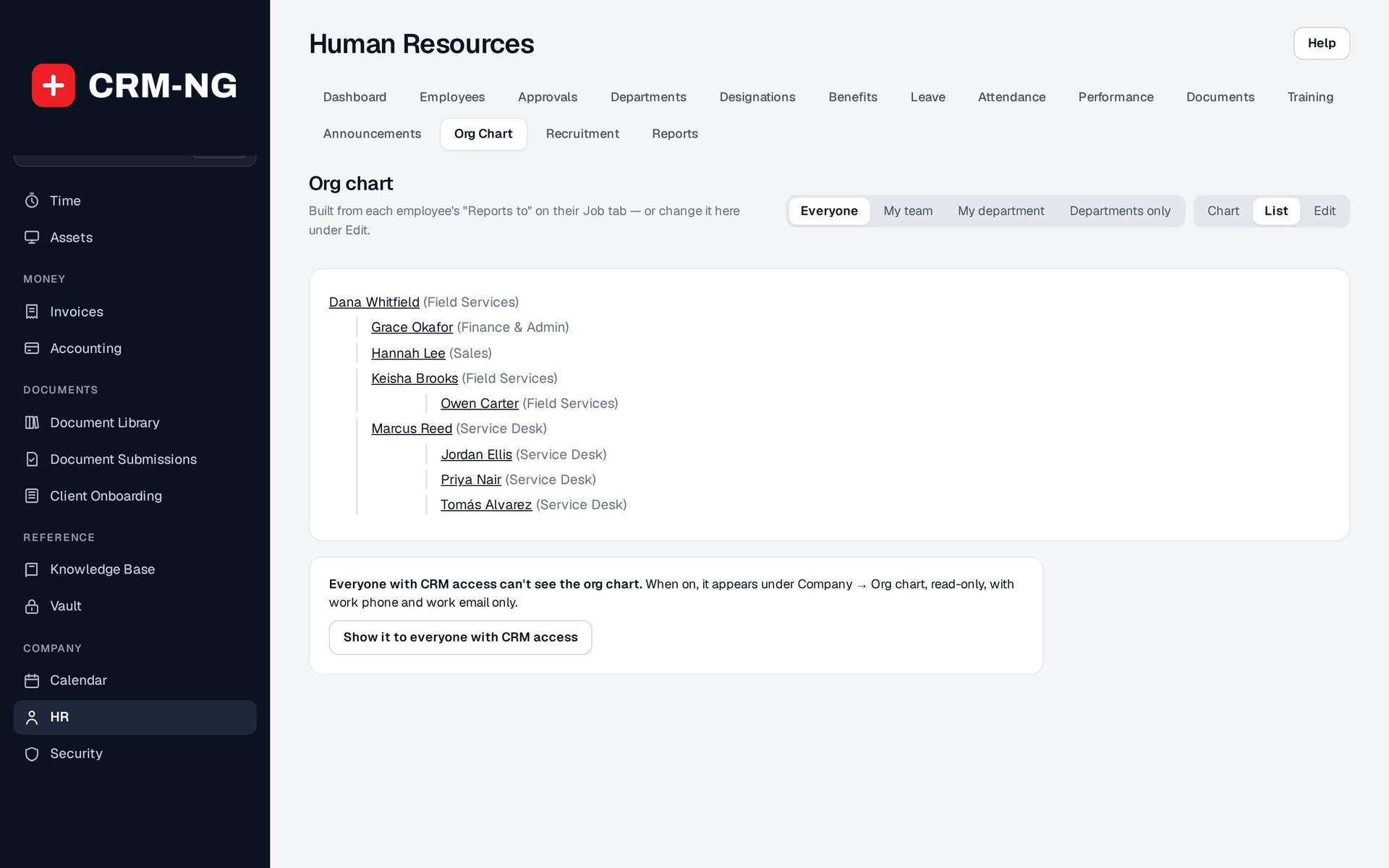
Departments, teams and job titles, and a chart built from who reports to whom.
- Flat, tilted or list view, with pan, zoom and keyboard controls for larger teams
- Moving a team moves its members to the new department
- Department resource links that also appear in the employee portal
-
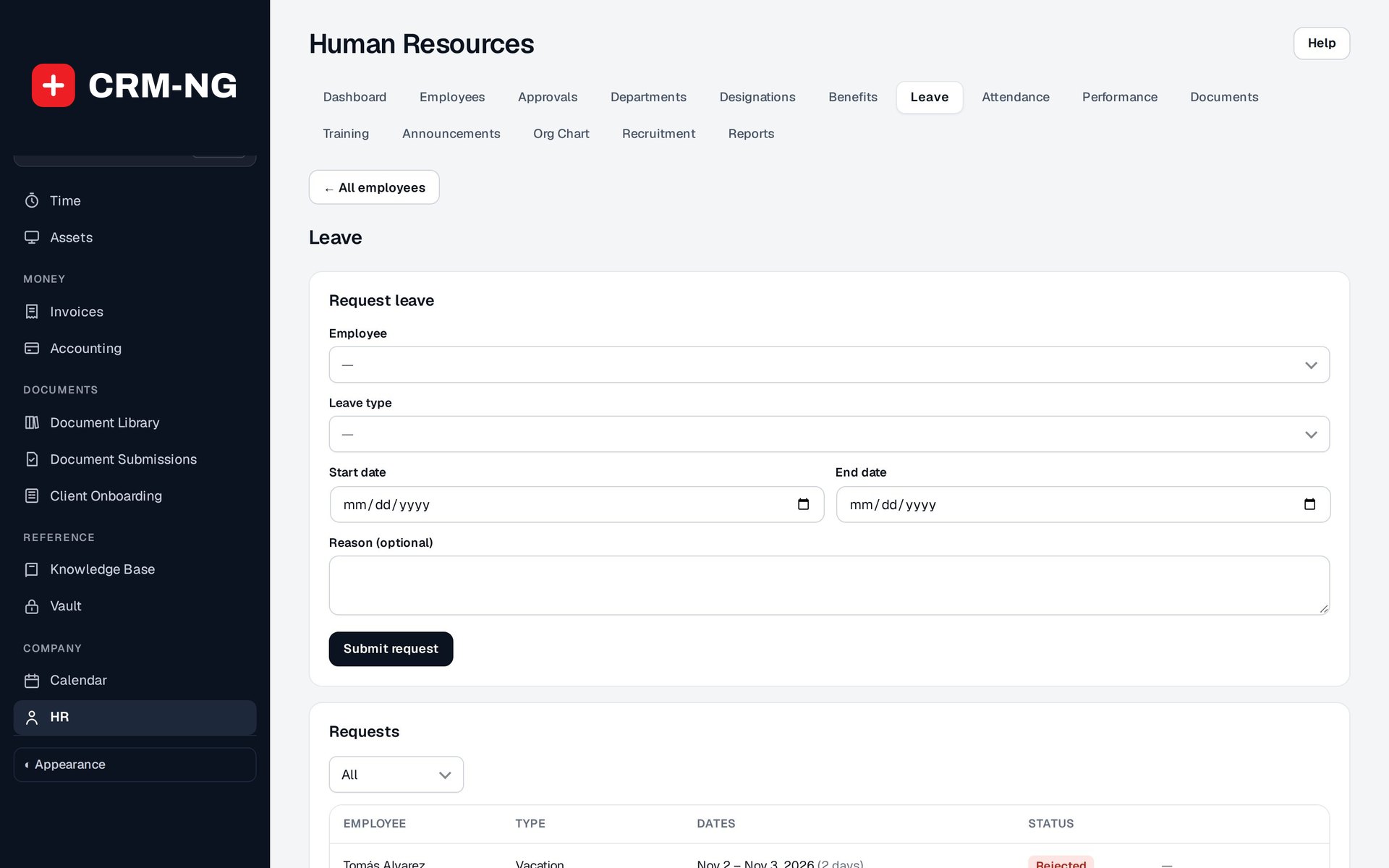
Time off that routes itself
Requests go to the right manager, escalate when nobody answers, and can be approved from email.
- Manager, then their manager, then HR; people who are away, or the requester themselves, are skipped
- Escalation after three days by default
- Signed email links open a confirmation page, expire after seven days and die once the request is decided
- Allowances come from the employee, their job title's benefit class or the leave type
-
Who is out, at a glance
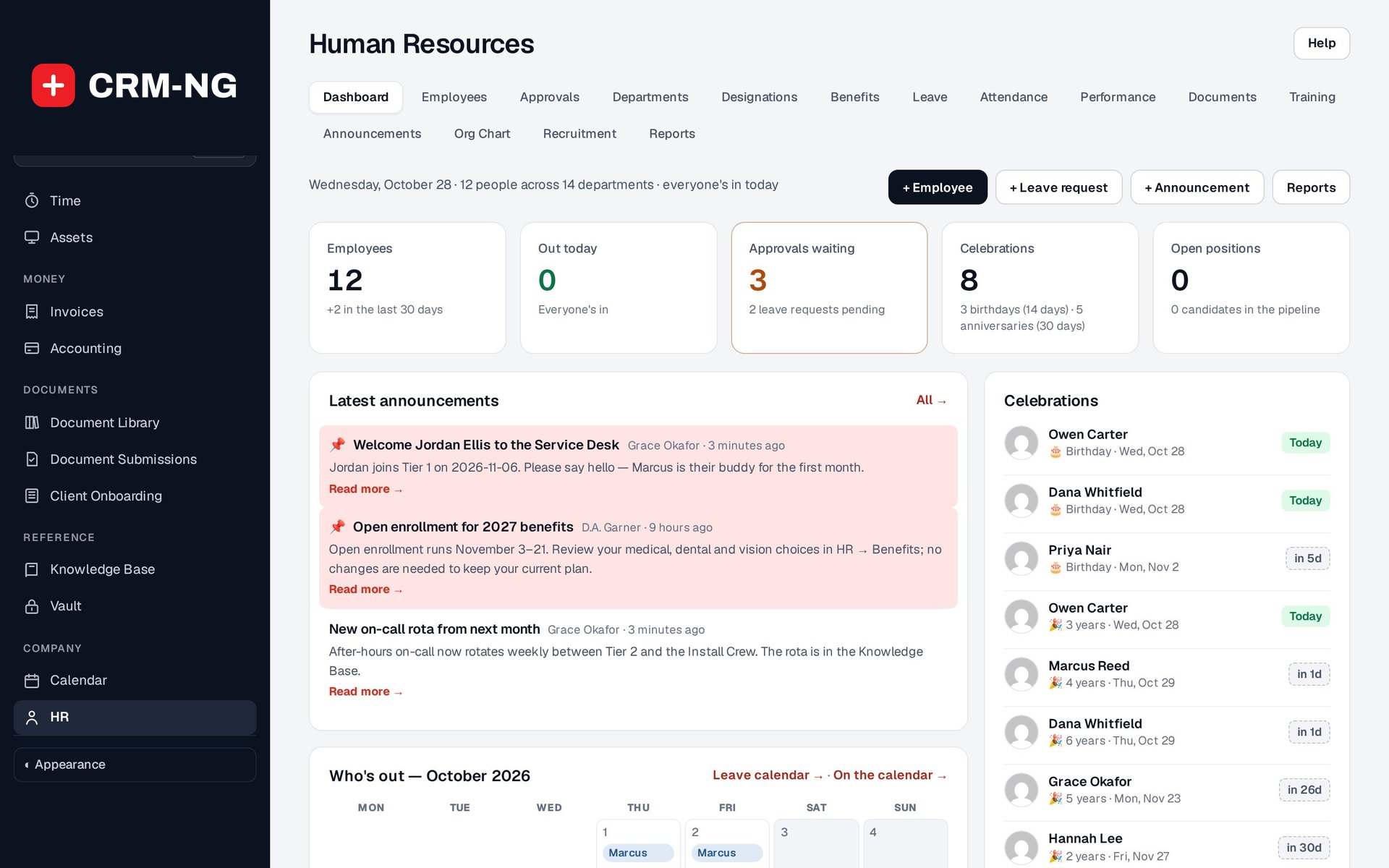
The HR dashboard and leave calendar show who is away today and in the weeks ahead.
- Out today, approvals waiting, celebrations and open positions as tiles
- Who's out in the next 30 days and a month calendar
- Birthdays and work anniversaries coming up
-
Attendance
Clock-ins, exceptions and who is in today.
- One clock-in and clock-out record per person per day, with hours worked
- Recorded by staff in self-service or by HR on the attendance screen
- Attendance exceptions report for missing times
-
Reviews, skills and training
Performance reviews, training and skills, kept with the employee.
- Reviews with five criteria scored 1 to 5, comments and agreed goals
- Skills at Novice, Basic, Proficient, Advanced or Expert, from a shared library
- Training courses with assignments, due dates and completion
- Private HR notes with their own audience rules; employees never see them
-
Recruitment and onboarding
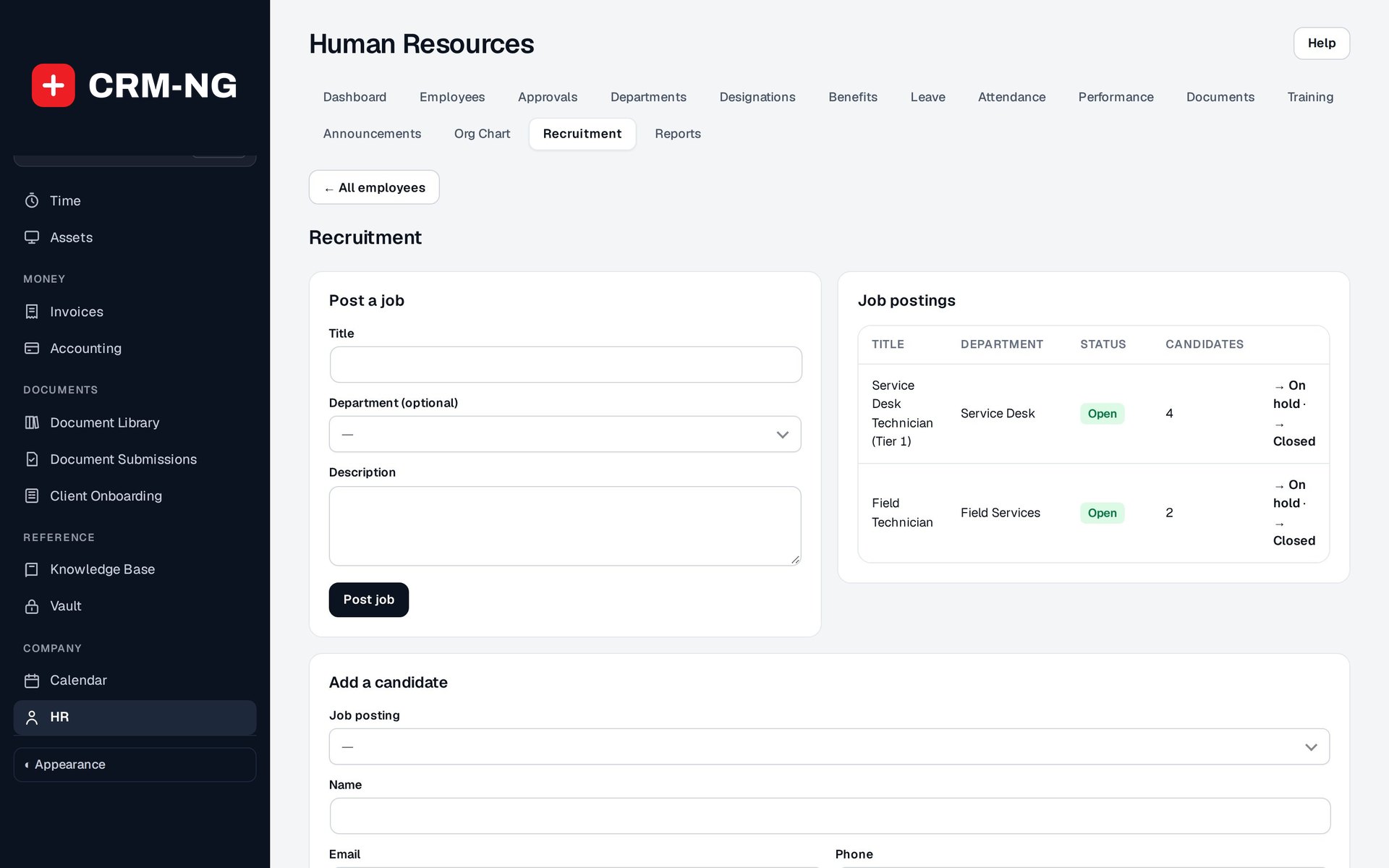
Open positions and candidates through to hire, then a ready-made onboarding project.
- Jobs set to Open, On hold or Closed
- Candidates move through Applied, Interview, Offer, Hired or Rejected
- A New employee hire template creates a project with tasks, dates and owners; an offboarding template covers departures
-
Self-service
Staff check their leave balance, request time off and see announcements in their own portal.
- Profile, leave balances and requests, attendance, documents, announcements and resources
- Equipment requests with approval and status
- Each person chooses how they are notified
-
Pay kept private
Separate view, manage, pay and admin permissions decide who sees what.
- HR Assistant can maintain routine records without seeing pay
- Compensation and pay-change reports need pay access
- Announcements can be pinned, archived and restored
See it in action
Go deeper
- People and organisationEmployee profiles, departments, teams, job titles and an org chart that stays current because it is drawn from the records themselves.Read more →
- Time off and attendanceAllowances, requests, a manager-to-HR approval chain with escalation, decisions from email, a team leave calendar and daily attendance.Read more →
 Recruitment and developmentTrack jobs and candidates, start onboarding from a template, and keep reviews, skills and training with each employee.Read more →
Who it is for
-
An IT provider or MSP
Record each technician's skills so tickets can be routed to the right person, see who is out before promising a visit, and keep the on-call rota and announcements where the team already works.
-
A professional-services firm
Run reviews and training records for consultants, route leave through partners and managers, and keep pay visible only to the people who need it.
-
A trades or field business
Track who is in each day, which certificates are expiring and which tools or equipment each worker holds, so nothing walks away when someone leaves.
-
A clinic or practice
See overlapping absences before they leave a shift short, keep staff documents with expiry dates, and onboard new starters with the same checklist every time.
Works with the rest of CRM-NG
- Calendar
Approved time off shows on the calendar, so the whole team sees who is away.
- Workflow
New hires, leavers, leave requests and decisions, escalated approvals and equipment requests can each start a workflow, and the Assign by skills action routes tickets using HR skills.
- CRM
Employees are linked to their user accounts, and staff availability from HR is used when work is assigned to people.
- Accounting
Employees appear as contacts in the books, so money owed to staff who paid personally is tracked under the right person until it is repaid.
Questions
Does it run payroll?
No. It keeps pay and benefit details for the people allowed to see them and reports on them, but payroll processing is done in your payroll service.
Can managers approve leave from their phone?
Yes. Approval emails contain a signed link that opens a confirmation page. The link expires after seven days and stops working once the request has been decided.
Who can see salaries?
Only people with pay access. HR has separate view, manage, pay and admin permissions, and an HR assistant role can keep records up to date without seeing pay.
How is leave counted?
A request uses inclusive calendar days, weekends and holidays included, and the allowance year is the year the request starts. Unused leave is not rolled over or prorated automatically, so check this fits your policy.
Can people apply for jobs on our website?
Not through HR. Recruitment is an internal record of jobs and candidates; it does not publish vacancies or take applications online.
Do I have to use the rest of CRM-NG to use HR?
No. HR can be used on its own, independently of the client side of the system.
See HR running on your own data.
Every module runs on CRM-NextGen Cloud: we set it up and run it for you. Beta members get the first invites and hear pricing first.