
Documentation Vault
Every client's IT documentation, encrypted and in one place.
Networks, Wi-Fi, domains, certificates, backups and licences as typed records, passwords encrypted at rest, runbooks with history, and a map of how it all connects. Built for IT providers and MSPs documenting client environments.
- Typed items for every kind of record
- Encrypted passwords with audited reveals
- Runbooks with version history
- Expiry tracking and a daily digest
- Access per company
Why it matters
The firewall password is in a spreadsheet, the Wi-Fi passphrase is on a sticky note in the client's server cupboard, and the backup procedure is in an email from a technician who left last year. A domain lapses because nobody saw the renewal date. Every new technician asks the same questions, and you have no record of who looked at which password or when.
-
Faster fixes, any technician
Whoever picks up the ticket finds the client's network, credentials and procedures in one place, linked to the device they are working on.
-
Nothing expires by surprise
Domains, certificates, warranties, licences and contracts coming due are listed in advance and sent in a daily digest.
-
Credentials you can account for
Passwords are encrypted, each reveal needs the technician's own password, and every reveal and change is written to the audit trail.
How it works
-
Choose your record types
Start with the shipped item types, from Network and Wireless to Firewall and Cloud account, and adjust their fields in Settings → Vault to match how you document.
-
Document each client
Open a company's vault and add its passwords, configurations, items and runbooks, or import passwords and items from CSV.
-
Link it together
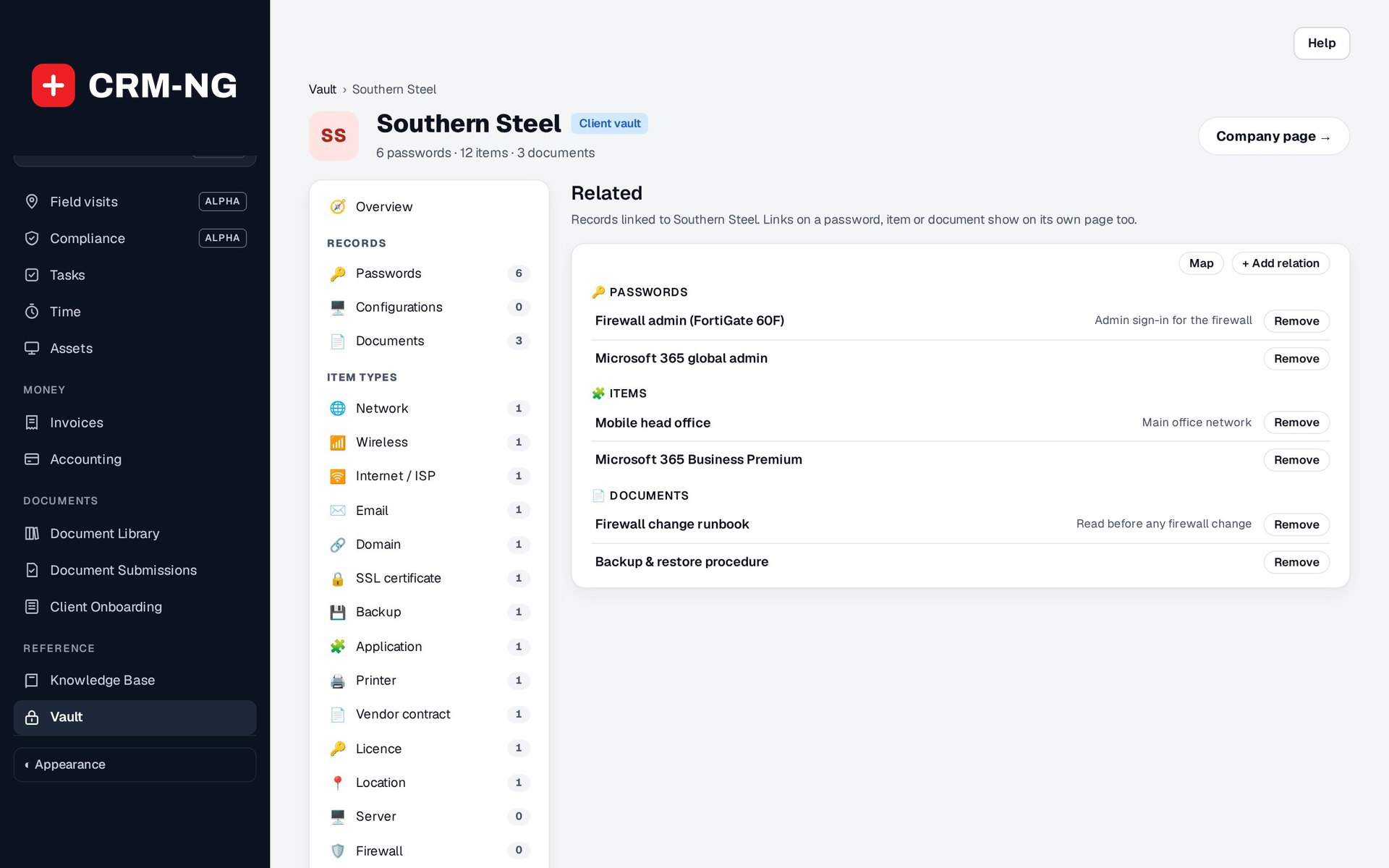
Connect a password to its firewall, a runbook to its server, and records to assets, contacts and tickets, then open the map to see the whole picture.
-
Use it on every job
Technicians search the vault, reveal a credential after confirming their password, follow the runbook, and tick off checklists, all with an audit trail behind them.
-
Stay ahead of renewals
Check Expiring soon on the vault home and read the daily digest of domains, certificates, warranties and licences due in the next 30 days.
What Documentation Vault does
IT providers and MSPs documenting client environments, and in-house IT teams documenting their own.
-
Typed records
Networks, Wi-Fi, internet, email, domains, SSL, backups, applications, printers, contracts and licences, each with fields you design.
- 20 shipped types, including Server, Firewall, Switch / Router, VPN, Cloud account, Remote access and Virtual machine
- Field designer in Settings → Vault
- Secret fields masked and encrypted like passwords
- Tick-able checklists and version history on items
-
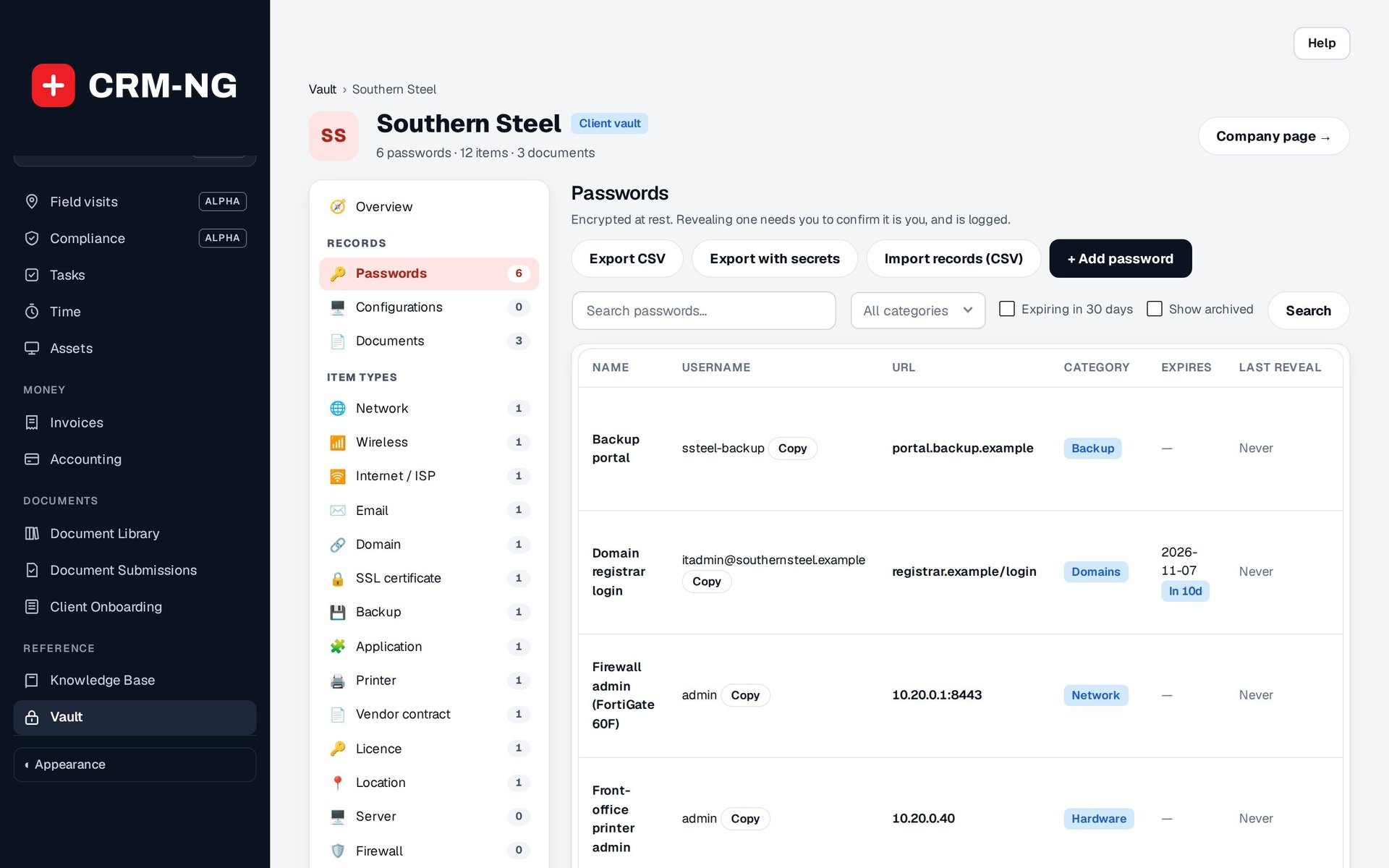
Passwords done properly
Encrypted at rest, revealed for thirty seconds after you confirm your own password, every reveal audited.
- Password, notes and one-time-code seed all encrypted
- One-time sign-in codes generated on demand
- Sensitive passwords visible to Vault administrators only
-
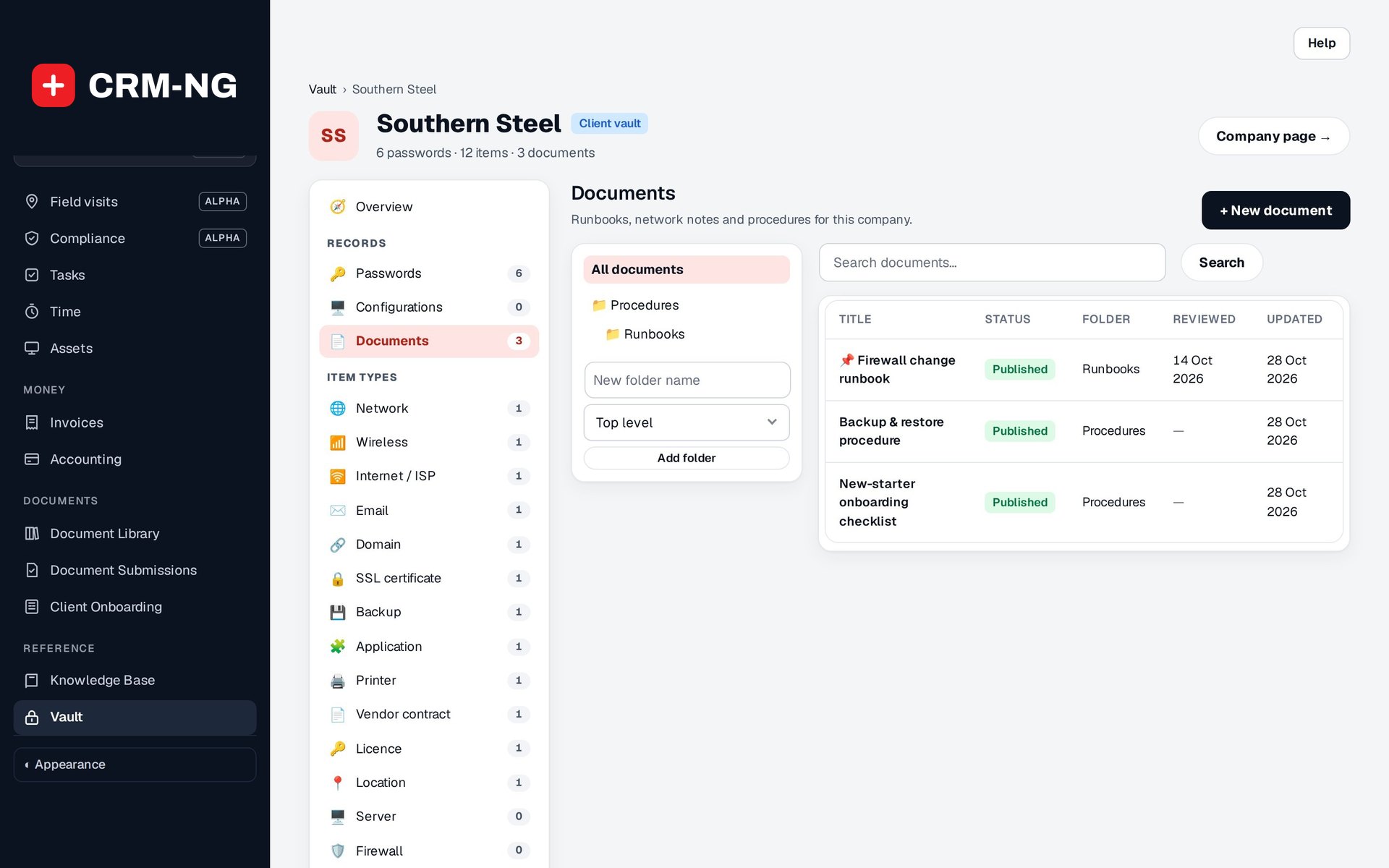
Runbooks
Procedures in the Knowledge Base editor, with version history and templates.
- Templates: Runbook, Onboarding checklist, Offboarding, Network overview, Backup & restore
- Folder tree per client
- Version history with restore
- Pinned documents and reviewed dates
-
Everything linked
A password to its firewall, a procedure to its server, and a map that shows the links.
- Link vault records, assets, inventory units, contacts, companies and tickets
- Related panel on every record
- Relationship map
- Links added and removed are audited
-
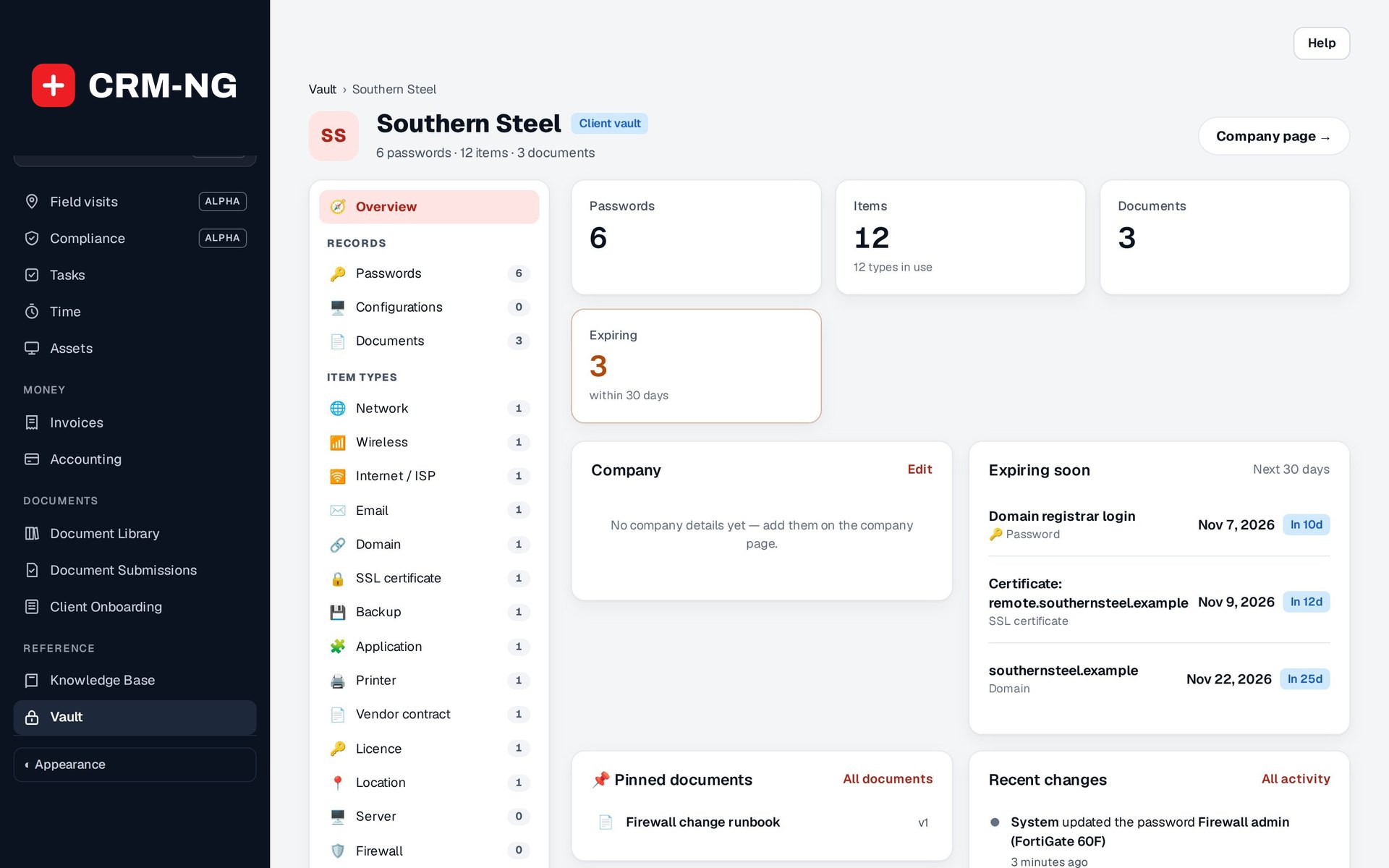
Nothing expires by surprise
Domains, certificates, warranties and licences due in the next thirty days, and a daily digest.
- Expiring soon on the vault home
- Daily email grouped by company, with no secrets in it
- Optional live checks of SSL certificate and domain registration expiry
- Asset warranties included
-
Access per company
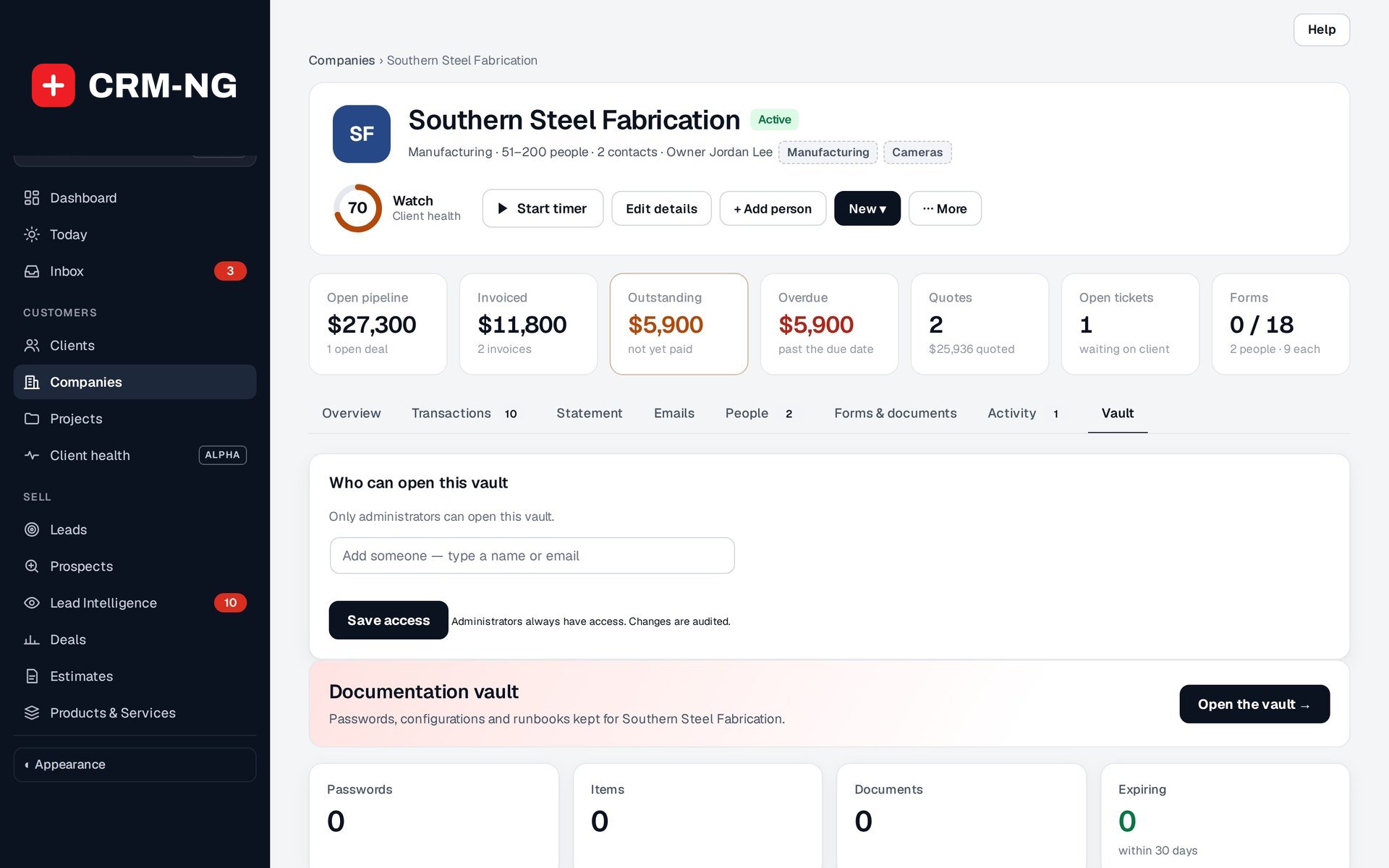
Staff open only the vaults of the companies they are assigned to.
- "Who can open this vault" on each company
- "Who can open which vault" grid in Settings
- Vault administrators always have access
- Every access change audited
-
Configurations and files
Keep device configurations with the files exported from them, tied to the actual hardware.
- Configuration exports such as .cfg, .conf, .rsc, XML, YAML and backups
- Optional source path, e.g. /etc/nginx/nginx.conf
- Set up configuration from an asset or a serial-numbered unit
- Attachments encrypted; non-image downloads audited
-
Find it in seconds
A vault home and a per-company view built for the moment a client calls.
- Search, Favourites and Recently viewed
- Company rail: Overview, Passwords, Configurations, Documents, Contacts, Related, Activity
- Tags on records
- Activity: the company's vault audit trail, newest first
-
Bring your data in and out
Move from a spreadsheet or another tool without retyping, and export when you need to.
- CSV import for passwords and item types, with de-duplication
- CSV export with secrets masked
- Export with secrets only for administrators, after confirming their password, and audited
See it in action
Go deeper
- Passwords and accessEncrypted passwords and sign-in codes for every client, revealed only to the right people, with every look recorded.Read more →
- Runbooks and configurationsProcedures with version history, configuration records tied to real hardware, and a map of how it all fits together.Read more →
Who it is for
-
An IT provider or MSP
Every client gets a vault with its network, Wi-Fi, firewall, domains, Microsoft 365 admin and backup details, so any technician can resolve a ticket without phoning the one who set it up.
-
An in-house IT team
Document your own firm's systems, vendors, licences and procedures in the same structured way, with access limited to the people who need it.
-
An IT team serving regulated clients
Keep backup schedules, encryption details and access procedures written down and reviewed for clinics, accounting firms and law firms, with an audit trail of who opened what.
-
A managed print, phone or AV provider
Record each site's devices, controllers, vendor contracts and support contacts, and get warned before contracts and warranties run out.
Works with the rest of CRM-NG
- Knowledge Base
Vault runbooks use the Knowledge Base editor, templates and layout, so client procedures read like your internal articles.
- Assets
Configuration records link to Assets and serial-numbered units, and asset warranty dates feed the expiry list and digest.
- Service Desk
Tickets can be linked to vault records, so the technician on a ticket can jump straight to the related passwords, devices and runbooks.
- Compliance
The vault is where the evidence behind many assessment questions is kept, such as backup procedures, encryption notes and privileged accounts; nothing is copied between the two automatically.
Needs Knowledge Base.
Questions
How are passwords protected?
Passwords, secret fields, notes and one-time-code seeds are encrypted at rest, and runbook bodies, their history and attachments are encrypted too. A password is revealed only after the person confirms their own password, it is masked again after 30 seconds, and every reveal is audited.
Can every technician see every client's vault?
No. Staff open only the vaults of the companies they are assigned to. You set this on each company ("Who can open this vault") or in one grid in Settings, and Vault administrators can see everything. Sensitive passwords are for Vault administrators only.
Can clients see their vault?
No. The vault is for your team only; nothing in it appears in the client portal.
We already have passwords in a spreadsheet. Do we retype them?
No. Passwords and item types import from CSV, with duplicates removed. Exports mask secrets unless an administrator confirms their password, and that export is audited.
Can we change the fields?
Yes. The 20 shipped types are a starting point. Change their fields or add your own types in Settings → Vault; updates never overwrite your edits.
What is in the daily digest?
Passwords, items and asset warranties expiring soon, grouped by company and sent to Vault administrators. It never contains a secret.
See Documentation Vault running on your own data.
Every module runs on CRM-NextGen Cloud: we set it up and run it for you. Beta members get the first invites and hear pricing first.