Forms, visitor activity and campaigns
Turn an inquiry into a follow-up your team can act on.
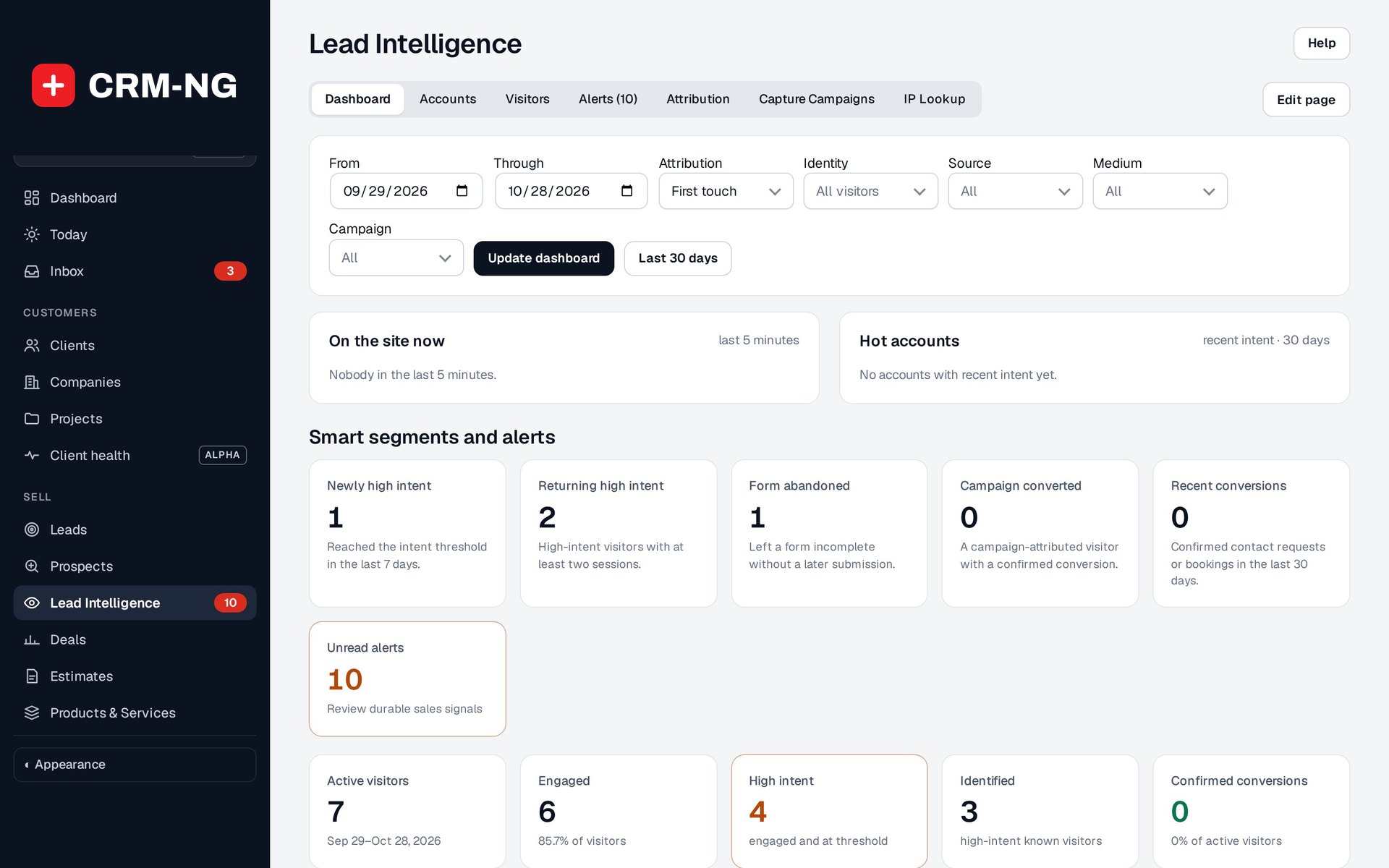
Lead Intelligence shows who is on the site now, hot accounts, and smart segments with their alerts.
A website form should give your team enough information to begin a useful conversation. CRM-NG's Form Builder lets you choose the questions, decide which are required and map the answers into lead records. Extra answers can be kept in a private note without adding a permanent field for every question.
Lead Intelligence helps you understand the activity behind an inquiry. Where consent and identification requirements are met, it can connect page visits, campaign information and form activity with a contact. Staff can compare the first source of interest with the latest interaction before deciding how to follow up.
Send a message that fits the audience
Campaigns lets you choose recipients, write and preview a message, and send it or schedule it for later. Saved segments can help you reach a relevant group, such as clients at a particular stage or contacts who need a follow-up.
Reports show sends, opens, clicks and unsubscribes. These are useful clues about interest, although email software and security scanners can affect open and click counts. The actual inquiry, reply or completed purchase remains a separate result.
Online booking can also add appointments to the customer record, with notes and tasks for staff. It requires Booking Hub, and calendar connections require additional setup. Booking Hub was inactive on the production site when the screenshots were taken, so the reference explains the setup without presenting a completed booking as a tested example.
Read more: Building a lead form · Lead Intelligence · Campaigns · Booking