Clients and companies
Know the customer before you pick up the conversation.
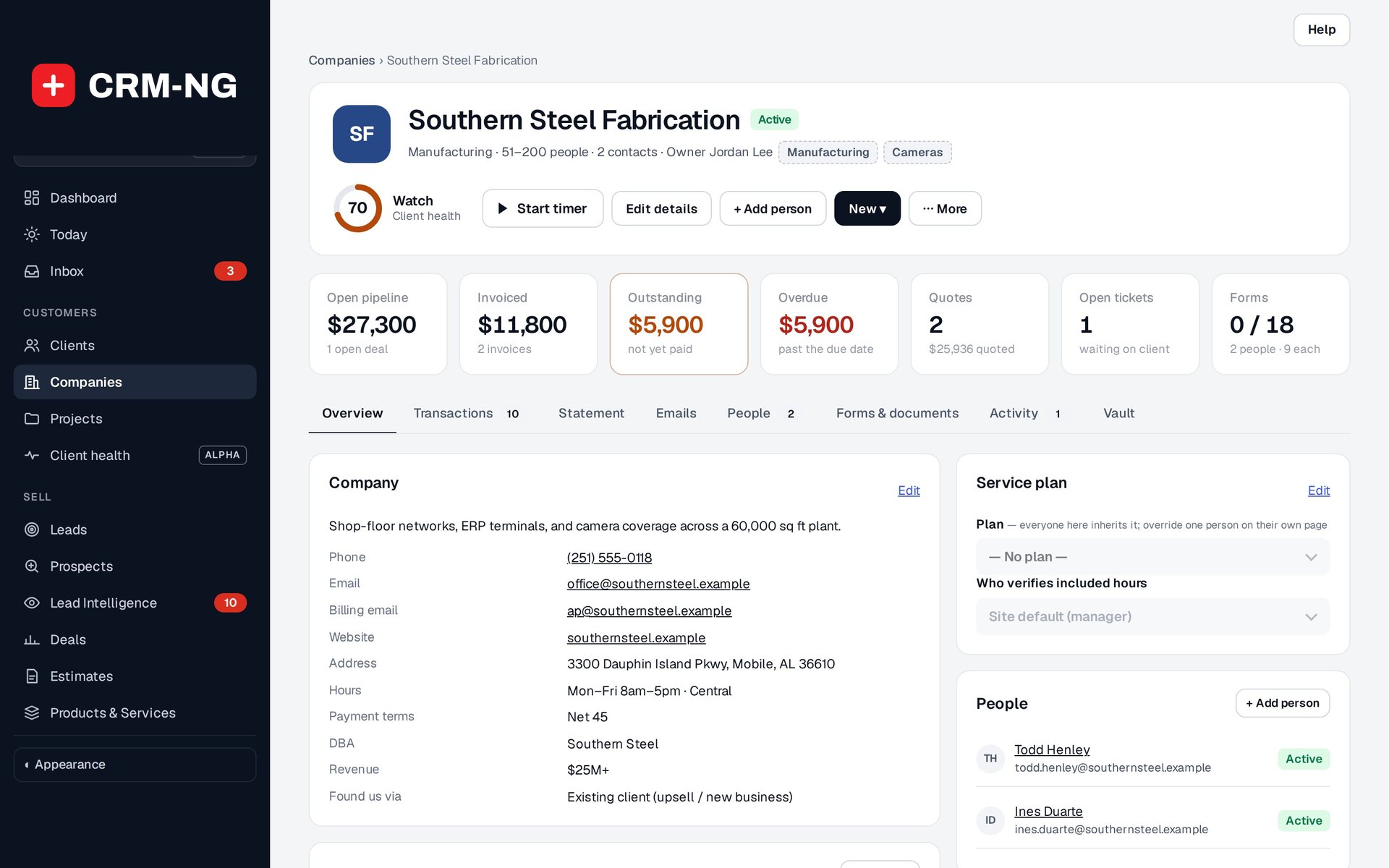
This example company page brings its contacts, deals, billing and service plan into one view.
A useful customer record should tell you more than a name and phone number. It should help you understand who the person works for, what they have asked for, what you have promised and what is still outstanding.
In CRM-NG, client records bring contact details together with notes, tasks, projects, tickets, forms and documents. Company records give you a broader view of the account, including the people who work there, open sales opportunities, invoices and support requests.
That makes it easier for someone else to take over a conversation. If a colleague is away, you can read the history and see the next task without asking the customer to explain everything again.
Keep the information your business actually needs
Tags let you label records in a way that is useful to your team. Custom fields give recurring information—such as a renewal date or account type—a proper place in the record. Saved segments find contacts who meet conditions you choose, such as active clients with an overdue follow-up.
A service plan has a separate purpose: it defines the customer's service terms, including eligible discounts and included hours. Keeping those terms separate from marketing labels helps staff understand what the customer is entitled to receive.
You can begin with a lead while discussing a possible engagement, then convert that person to a client when they need an account. From there, assign the forms, documents and follow-up tasks needed to get started.
Read more: Client records · Companies · Tags, segments and custom fields