Settings, permissions and security
Give people the access they need to do their jobs.
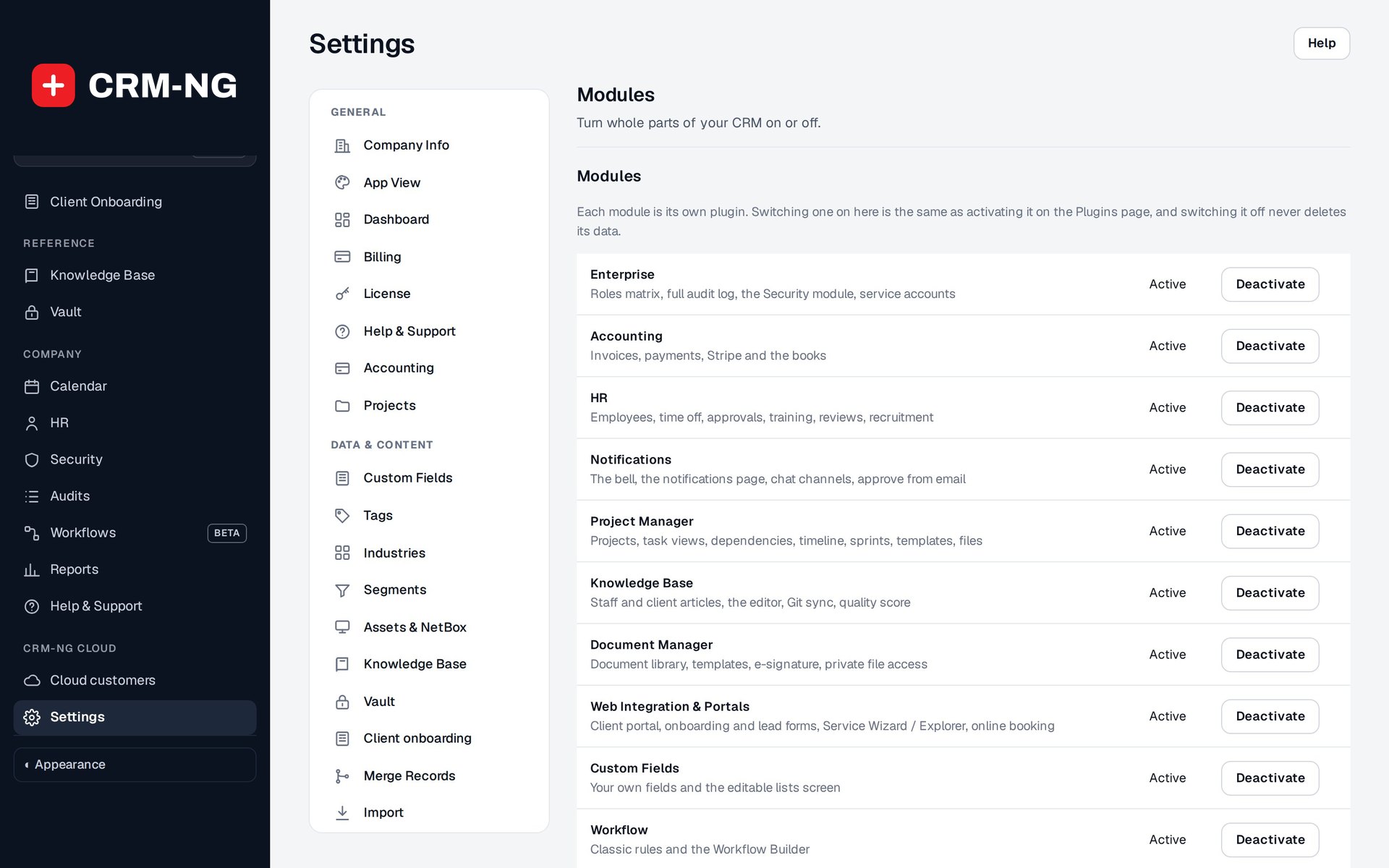
Settings → Modules is where administrators enable optional parts of CRM-NG and check their requirements.
A sales representative, technician, HR assistant and client need different parts of the application. CRM-NG provides role and permission controls for staff, separate portal access for customers, and additional restrictions around information such as employee pay.
The Security module supports passkeys, security keys, authenticator methods, recovery options, trusted devices and session management. Administrative screens help you investigate failed sign-ins, lockouts and bans. Application histories and audit records help explain who changed a record and when.
Set up the application around your team
Settings brings together the company's details, billing defaults, service plans, SLA rules, notifications and integrations. Module controls let administrators enable the parts the organization will use.
Using CRM-NG includes a settings directory and troubleshooting guide, so an administrator can find the relevant setting without searching through every screen. It also explains distinctions that matter during account changes: archiving a client, changing an employee's status and suspending their login are separate actions.
Before rolling out a role, test it with an account that has that role. This confirms that the person can complete their work and that the application only shows the records they should see.
Read more: Login security · Staff permissions · Audit history · Settings directory