Support tickets and service agreements
Give every request an owner and a clear next step.
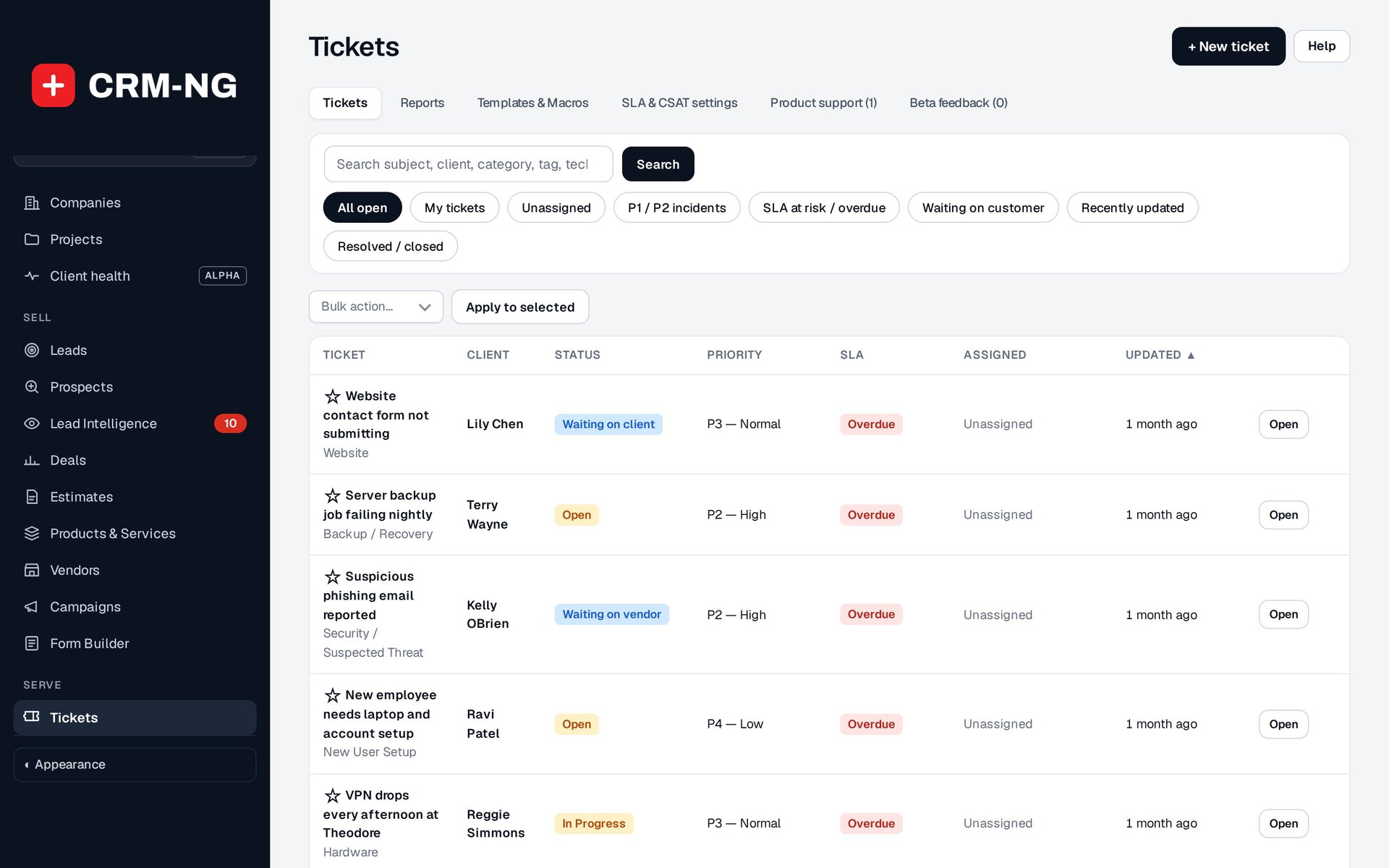
Ticket queues help staff find their assigned requests, unassigned work, urgent incidents and tickets at risk of missing an SLA target.
When several people share responsibility for support, it is easy for a request to sit unanswered. The ticket queues in CRM-NG help you find unassigned requests, urgent incidents, work waiting on a reply and tickets approaching their service deadline.
Each ticket keeps the conversation with the customer alongside its owner, status, priority and related work. Staff can send a public reply or add an internal note for colleagues. Watchers, mentions and saved replies help the team stay informed without making every person responsible for the same task.
Apply the service terms you have agreed with the customer
The Pro service modules let you configure plans with priority limits, discounts, included hours and portal access. SLA settings define the response and resolution targets for each plan and priority, using business hours or a 24-hour calendar.
If work is waiting on the customer or a supplier, the appropriate waiting status can pause eligible SLA clocks. When a deadline seems wrong, staff can check the customer's plan, calendar and ticket history to understand how it was calculated.
The client portal gives customers a place to follow the requests they are permitted to see. Your staff can keep internal troubleshooting notes private while giving the customer a clear account of progress.
Read more: Managing tickets · Replies and internal notes · Service plans · SLA settings