Client and staff surveys
Ask the right questions at the right moment, and see where clients and staff stand.
Needs: Surveys module
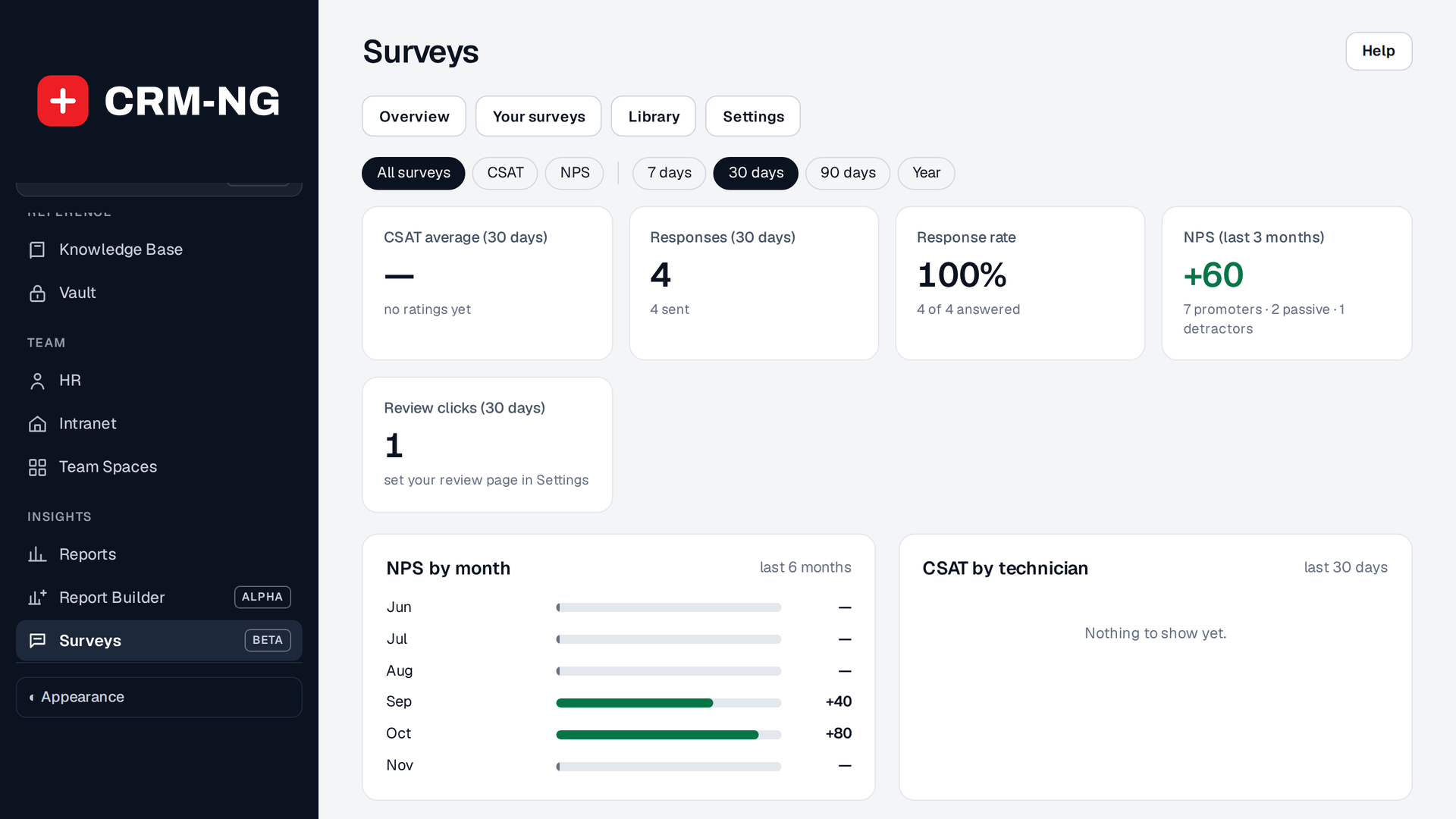
Surveys: ratings, responses, NPS and the trend by month, with your surveys and the library in the tabs above.
Surveys covers three kinds of feedback: a satisfaction rating when a ticket is closed (CSAT), a quarterly NPS question, and survey forms you send to clients, staff or anyone with a link.
Start from the library
The survey library has 95 ready-made business surveys in ten areas: customer experience, retention, sales, products, people, operations, strategy, website, IT and security, and events and services. The ten most useful are starred. Choose Use this to make your own copy, then change the wording, questions or follow-up before you send it.
Questions can be a rating, agree/disagree, 0–10, effort, yes/no, a choice, a number or free text. Answers are scored from 0 to 100 and marked good, watch or at risk.
Send a survey
A survey opens on its Overview: what people will read and every question with its scale. Use Edit to change it. Send it to:
- Clients: everyone, or one company, with one contact per company if you prefer.
- Staff: everyone, or chosen departments and teams. Staff surveys can be anonymous.
- Anyone with the link: a public link you can put in an email or on your website.
A survey can also send itself when something happens, such as a deal lost or onboarding finished, after a delay you choose. Someone who already has an unanswered invitation is not asked again, and clients who opted out of email are skipped.
Act on the answers
Results show each question's average and choices, with a CSV export. An answer that comes back at risk can create a task or ticket for the owner, and a survey can feed the client's health score. Answers to a survey sent about a deal are logged on that deal. The Lost deal survey asks its main question with your own lost reasons (Settings → Lost reasons, the same list staff pick from when a deal is lost); when a client answers about a deal that has no reason recorded yet, their answer becomes the deal's lost reason, so the Why deals are lost report counts it.
Surveys in workflows
Workflows can send a survey with the Send a survey action. The Workflow library has a Growth & retention group built on it: ask why a deal was lost and why a won client chose you, how new clients found you, how onboarding went, the churn-risk questions when a client's health slips, what would make long-standing clients refer you, what would win back a quiet client, and why a client left. Like every library workflow, they arrive switched off. See Using the visual Workflow Builder.