Tickets and time
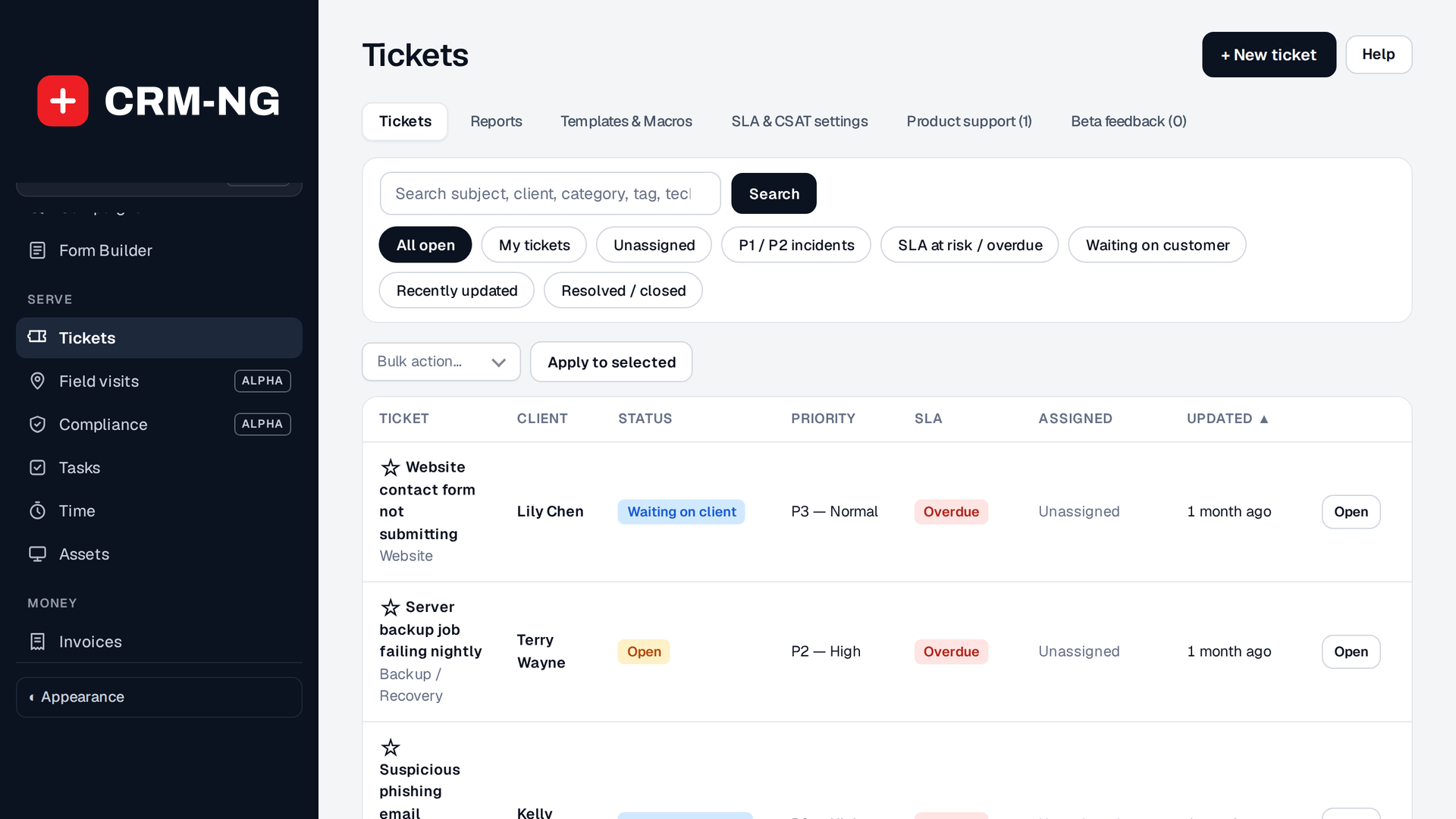
Tickets are how work arrives and how you prove it was done. This page needs Service Desk.
Where tickets come from
- Your team: open Tickets and press New ticket.
- The client portal: a signed-in client raises a ticket from the portal (Web Integration & Portals).
- Email: with Service Desk → Email intake connected, mail sent to your support address becomes a ticket, and replies thread onto it.
Anatomy of a ticket
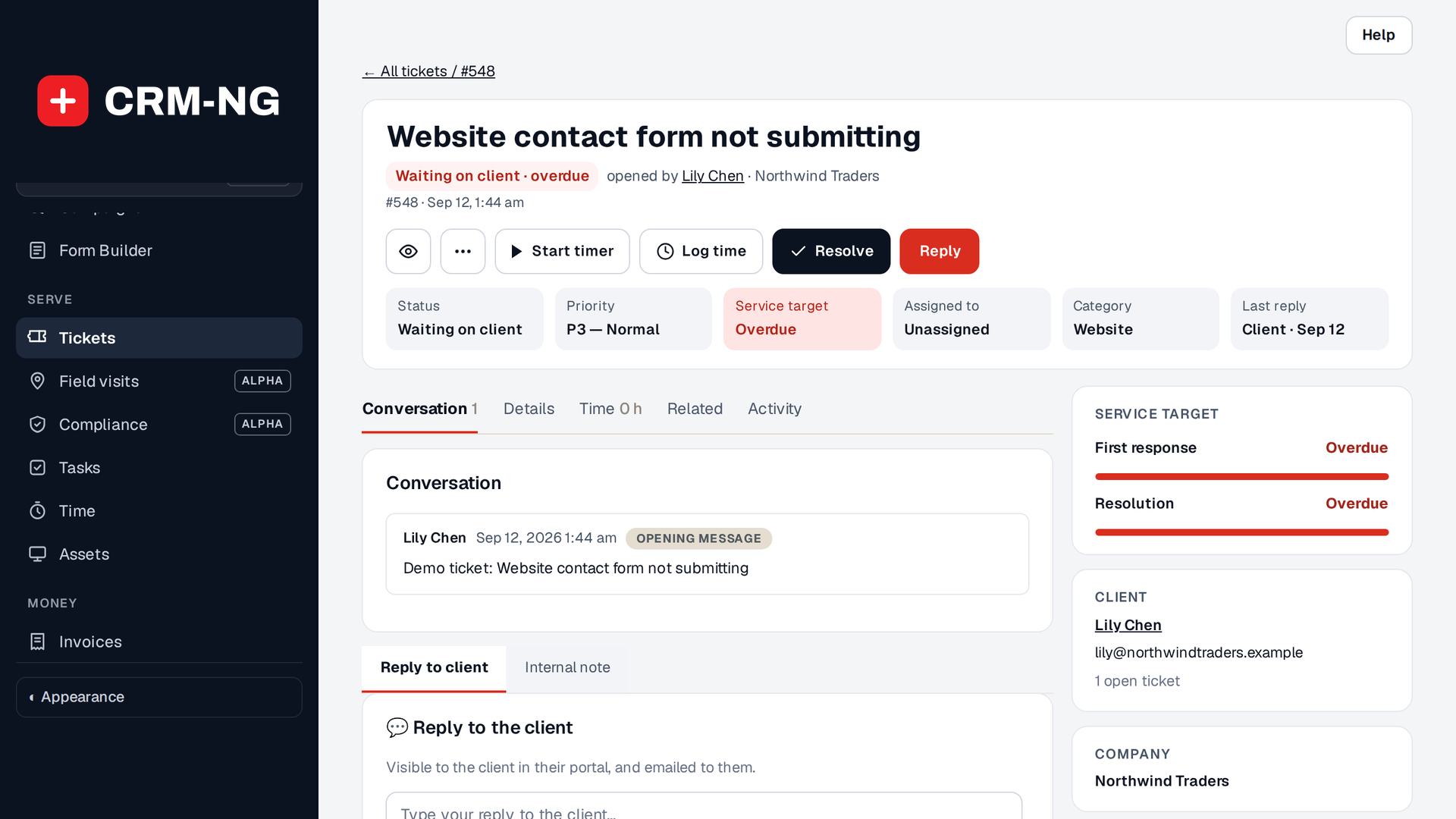
| Field | What it does |
|---|---|
| Category | What kind of problem it is, from your starter set (for example Network, Email, Billing). Drives reporting and routing. |
| Priority | How urgent it is (Urgent to Low, or P1 to P4). With a service plan, priority sets the response and resolution targets. |
| Team | Which team owns it (Support, or Service desk / Field / Projects for IT). |
| Assignee | The person working it. |
| Status | Where it is. Statuses that wait on the client stop the target clock. |
| Client / company | Who it is for. Links the ticket to their record, plan and rates. |
Service plans and targets
If the client's company has a service plan (a Tier for IT services, a Membership otherwise), the ticket shows two targets taken from the plan and the ticket's priority:
- Response: how quickly someone must reply first.
- Resolution: how quickly the problem must be fixed.
The clock pauses while the ticket waits on the client, and tickets close to breaching a target appear on the dashboard's attention list. Plans are managed under Settings → Plans, and targets under Settings → SLA.
Logging time
Time can be recorded three ways from a ticket:
- Timer: start it when you begin and stop it when you finish.
- Log time: enter the duration when you stop.
- Log time manually: record time afterwards, with a date and a note.
When time is logged, its rate is fixed using the first that applies:
- the client's own rate,
- the staff member's rate,
- the default rate from the setup wizard,
minus any discount from the client's service plan. Because the rate is fixed when the time is logged, a later rate change never re-prices past work.
Replying and closing
Reply from the ticket. The client receives the email, and a signed-in client sees the whole thread in the portal. When the work is done, close the ticket; with CSAT on, the client is asked for a satisfaction rating.
Unbilled time on the client's tickets can then be added to an invoice as line items. See Deals, estimates and invoices.
Next: email delivery.