Setting up Accounting
Configure the books and check how CRM invoices, payments and purchases are recorded.
Needs: Pro · Accounting
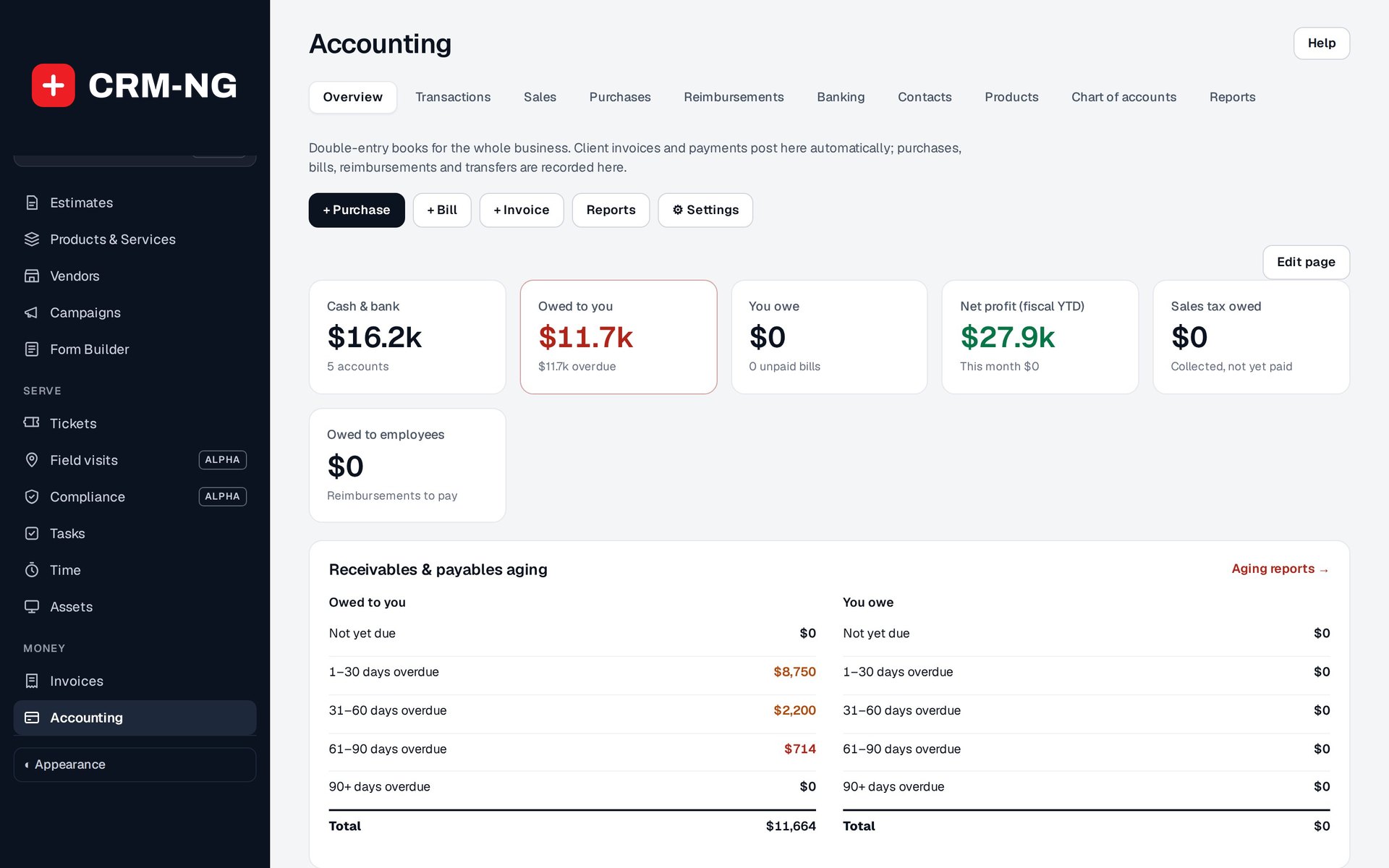
The Accounting overview summarizes receivables, payments, purchases and the resulting financial records.
Accounting uses balanced journal entries linked to their source transactions. Authorized CRM administrators can open Overview, Transactions, Sales, Purchases, Reimbursements, Banking, Contacts, Products, Chart of accounts and Reports when the module and required entitlement are available.
Configure the books first
Review the home currency, fiscal year, deposit-account mappings, tax treatment, inventory settings and opening balances. The module starts with 47 accounts in its chart. Check that those accounts and mappings suit the way your organization will record its transactions before importing a large amount of data.
Contacts are drawn from the existing clients, vendors and employees. Products connect to the catalogue and inventory, so you do not need unrelated copies of those records solely for Accounting.
Understand automatic sales entries
Eligible CRM invoices create receivable, income and tax entries according to the setup. Draft and void invoices are excluded from normal sales posting. Payment records settle the receivable into the mapped deposit account.
An older invoice marked fully paid may lack individual payment rows. In that case, the system can create a synthetic settlement for the amount not covered by payment records. Inspect that history before adding another receipt.
Each automatic entry is linked to its source so repeated synchronization does not keep creating copies. Voiding or deleting an eligible source can remove its corresponding posting. Accounting screens perform synchronization at controlled intervals, and a scheduled job also runs, so a short delay between modules can occur.
Verify the first transactions
On a suitable test installation, follow a draft invoice through issue and payment, then inspect the journal and balances. Check a purchase and bank match as well. Use a small set of known amounts before relying on imported opening balances or reports.
Accounting records and reports the transactions configured in the application. Payroll processing and tax filing are outside the functions described here.