Writing and maintaining knowledge-base articles
Give customers and staff reusable answers to common questions.
Needs: Core
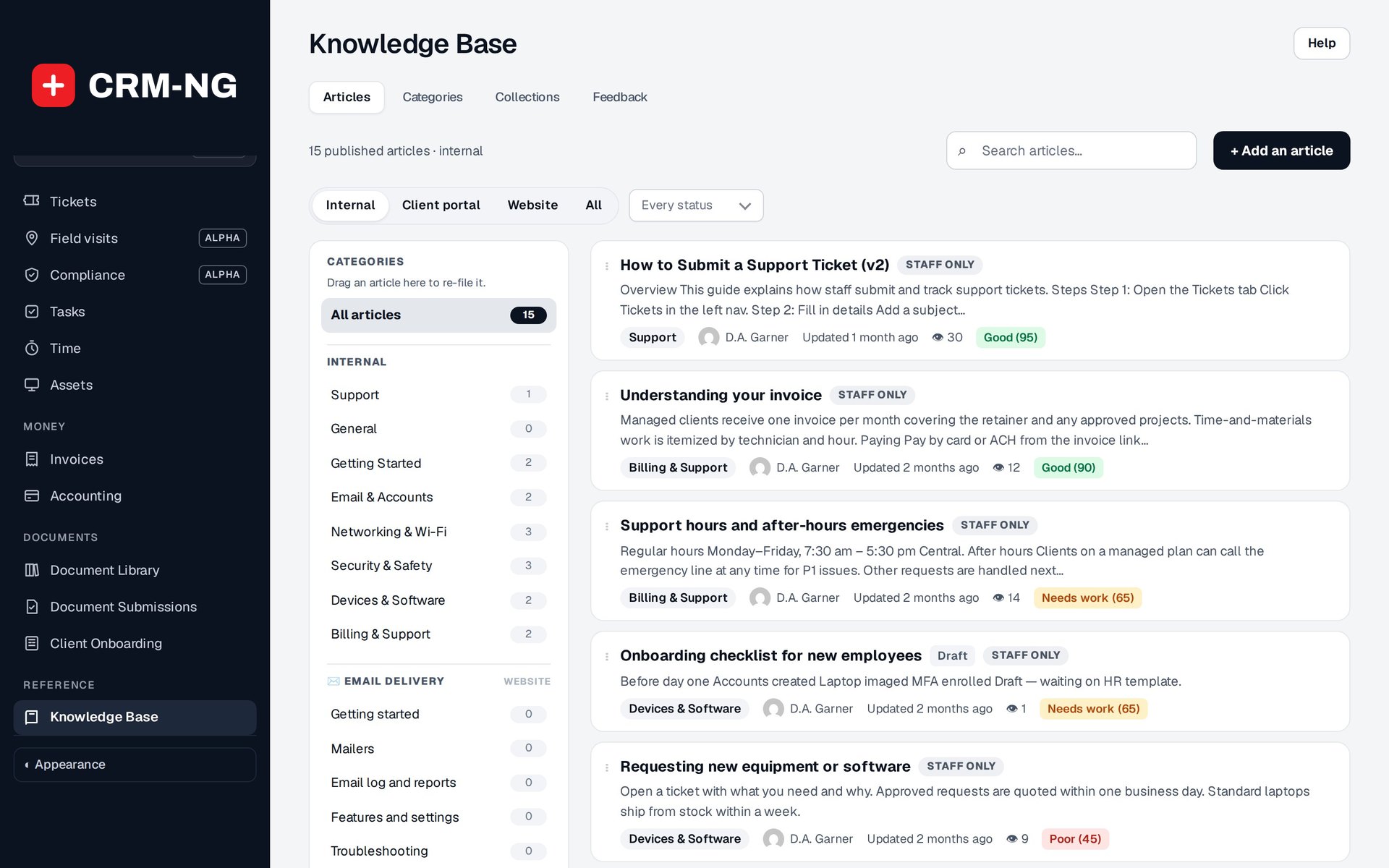
The Knowledge Base organizes articles by category and shows publication status, views and items that may need review.
The Knowledge Base organizes help into articles and categories. Staff can reuse an article in a reply, and customers may see relevant suggestions before submitting a ticket.
Write and publish an article
Create a draft and choose a category. Use a title that matches the question someone is likely to search for, then write the explanation or steps in the rich editor. Preview the article and check that its instructions match the current application or service before publishing it.
Categories can be reordered, and articles can be moved between them, including by dragging where offered. Use categories for topics that will remain useful as the collection grows.
Keep the content useful
Review frequently viewed articles for outdated instructions and screenshots. For an article that is rarely found, check its title and category before assuming the topic is unnecessary. A recurring ticket can be a good reason to add an article or improve an existing one.
Quality scores and needs-attention indicators help find content to review. They do not check whether an answer is correct. View counts show that an article was opened, rather than confirming that it solved the reader's problem.
Import articles from GitHub
The Git integration copies Markdown files from GitHub into read-only articles. Edit those articles in the repository; CRM-NG does not send changes back to GitHub.
Configure the repository owner, name, branch, optional root path, private-repository token if needed and default category. The default branch is main. Only Markdown files under the selected root are imported. Content is sanitized, and source hashes allow unchanged files to be skipped.
After the initial scheduled check, enabled sync runs twice daily. Check the last-sync summary for added, updated, unchanged and failed files. New imported articles are published, so review the source content before connecting the repository. Test one controlled file and check its title, category and body.
Do not assume that deleting a file in Git deletes its existing article. See the integration reference when planning a repository connection.