The setup wizard
The first time you open your workspace, Set up your CRM starts, inside the workspace. It asks for the few things everything else depends on: who you are, what kind of business you run, your timezone, and the defaults for rates, invoices and estimates.
- Every step can be skipped and run again later: Settings → Company Info → Run setup again.
- Modules add their own steps. If you switch a module on later, run setup again to see its step.
- Nothing you already have is renamed or removed. Starter sets only add what is missing.
Welcome
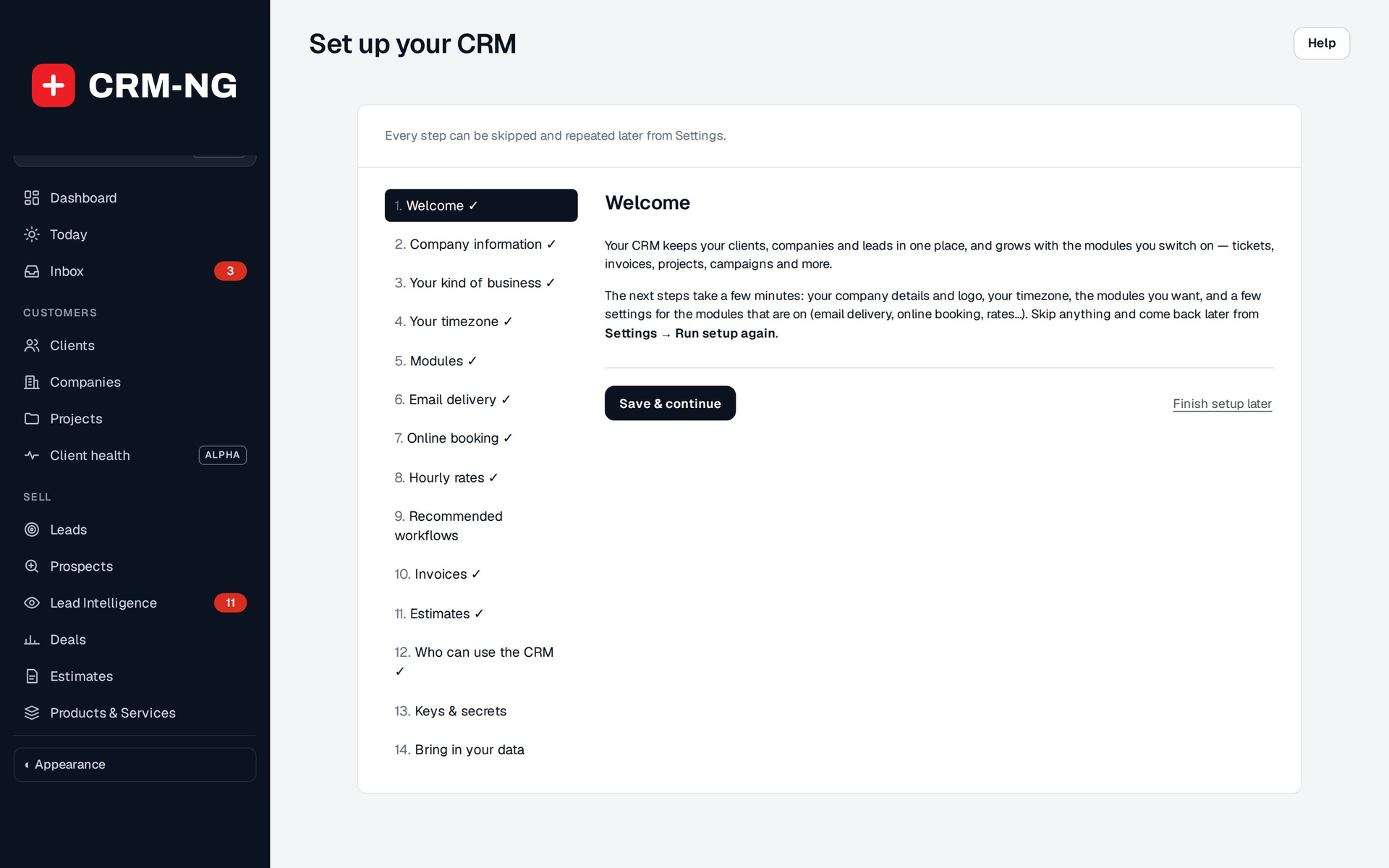
A summary of what the next few minutes cover and which steps your installed modules add.
Your company
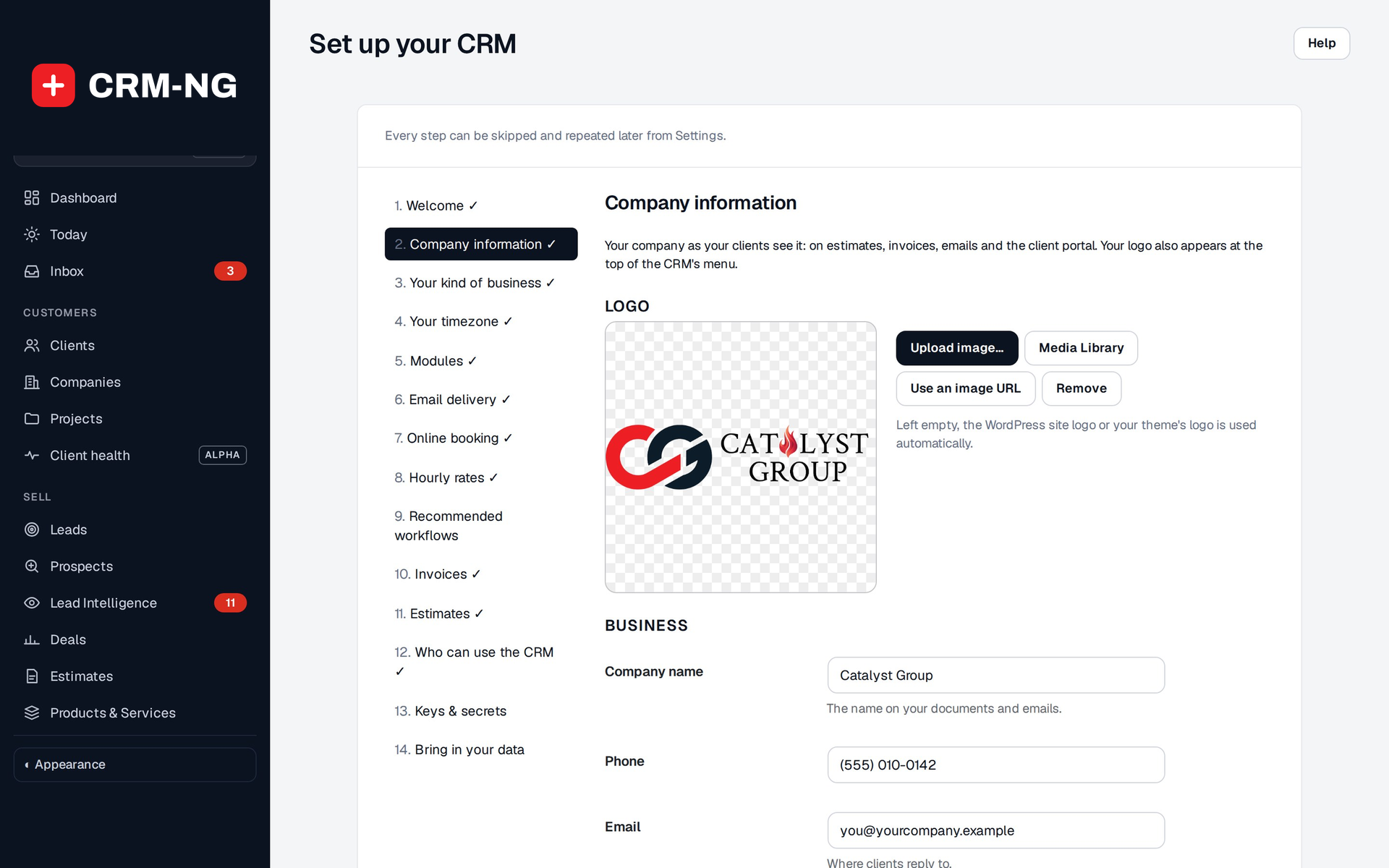
Name, address, phone, email, website and the portal contact. These print on every estimate and invoice and appear in the client portal. The full form, including your logo, letterhead and terms, is in Settings → Company Info.
Tip
Phone numbers are stored as digits and displayed in your local format, for example (502) 528-1234. Type them any way you like.
Your kind of business
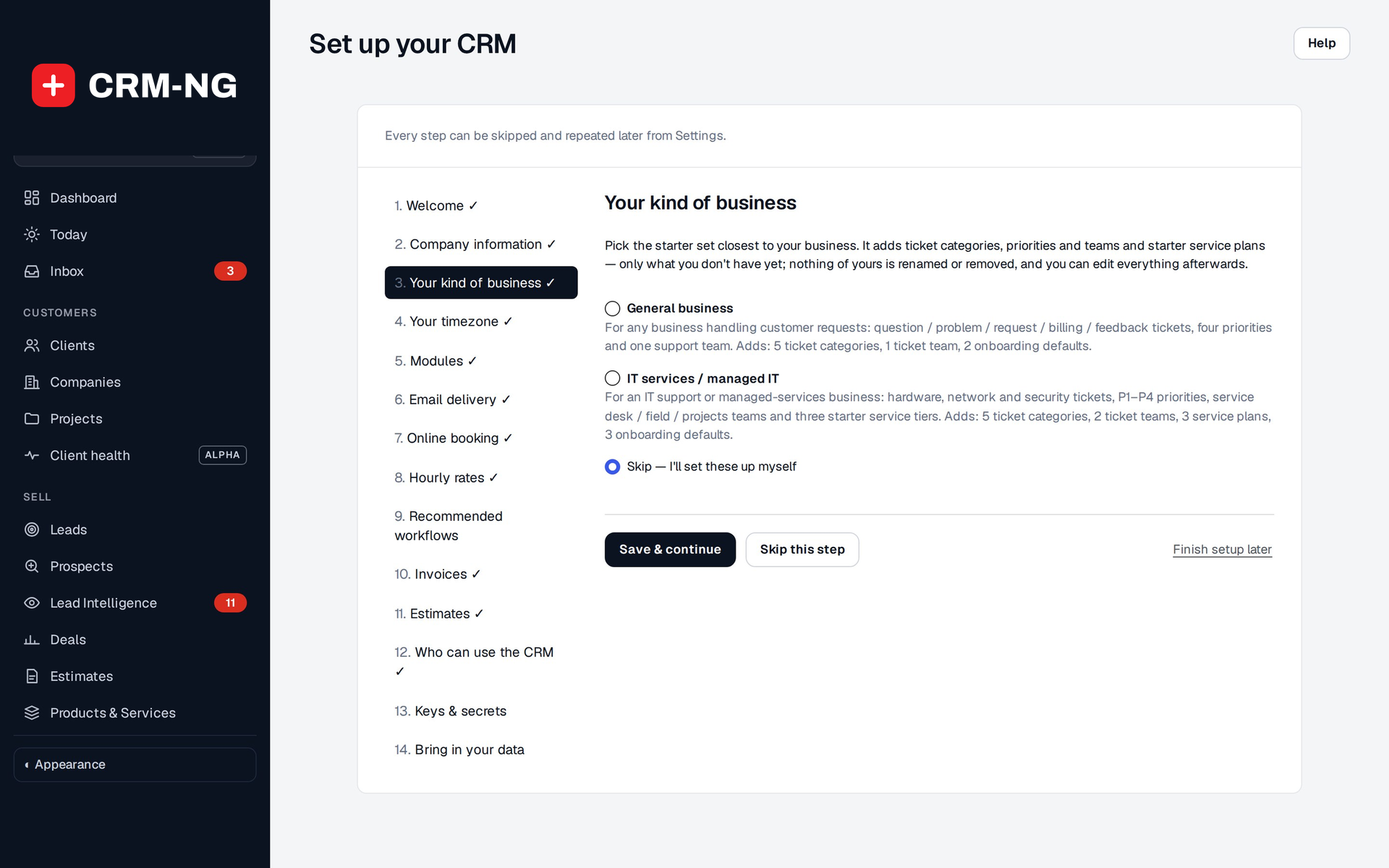
A starter set seeds the lists a CRM needs on day one. Pick the one closest to your business, or skip:
- Ticket categories: Question, Problem, Request, Billing, Feedback
- Priorities: Urgent, High, Normal, Low
- One Support team
- Service plans are called Memberships
- Ticket categories: Hardware, Software, Network, Email, Security, Accounts & access, Printing, Backup
- Priorities: P1 Critical, P2 High, P3 Normal, P4 Low
- Teams: Service desk, Field, Projects
- Three starter service tiers, Bronze, Silver and Gold (when Service Desk is on), each with response and resolution targets
- Service plans are called Tiers
Every list stays editable afterwards under Settings. Running a starter set twice does not create duplicates.
Your timezone
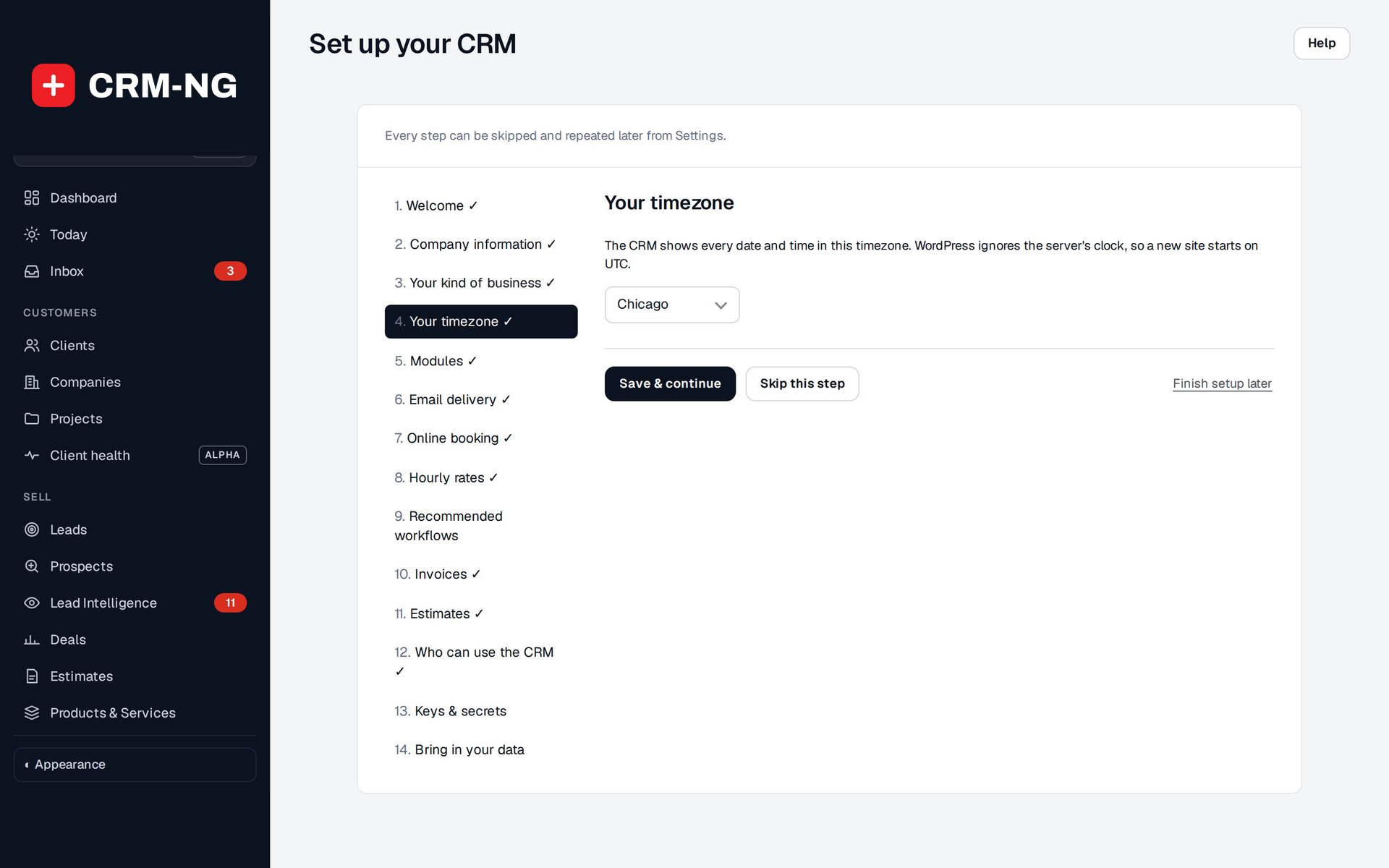
A new workspace starts on UTC, so every date and time in the CRM would be off by hours until you set this. The wizard suggests your browser's timezone. Confirm it, or pick another.
Warning
Choose a city (for example America/Kentucky/Louisville) rather than a fixed offset like UTC−5. A city follows daylight-saving changes; a fixed offset does not, and service-plan clocks will drift by an hour twice a year.
Modules (Pro)
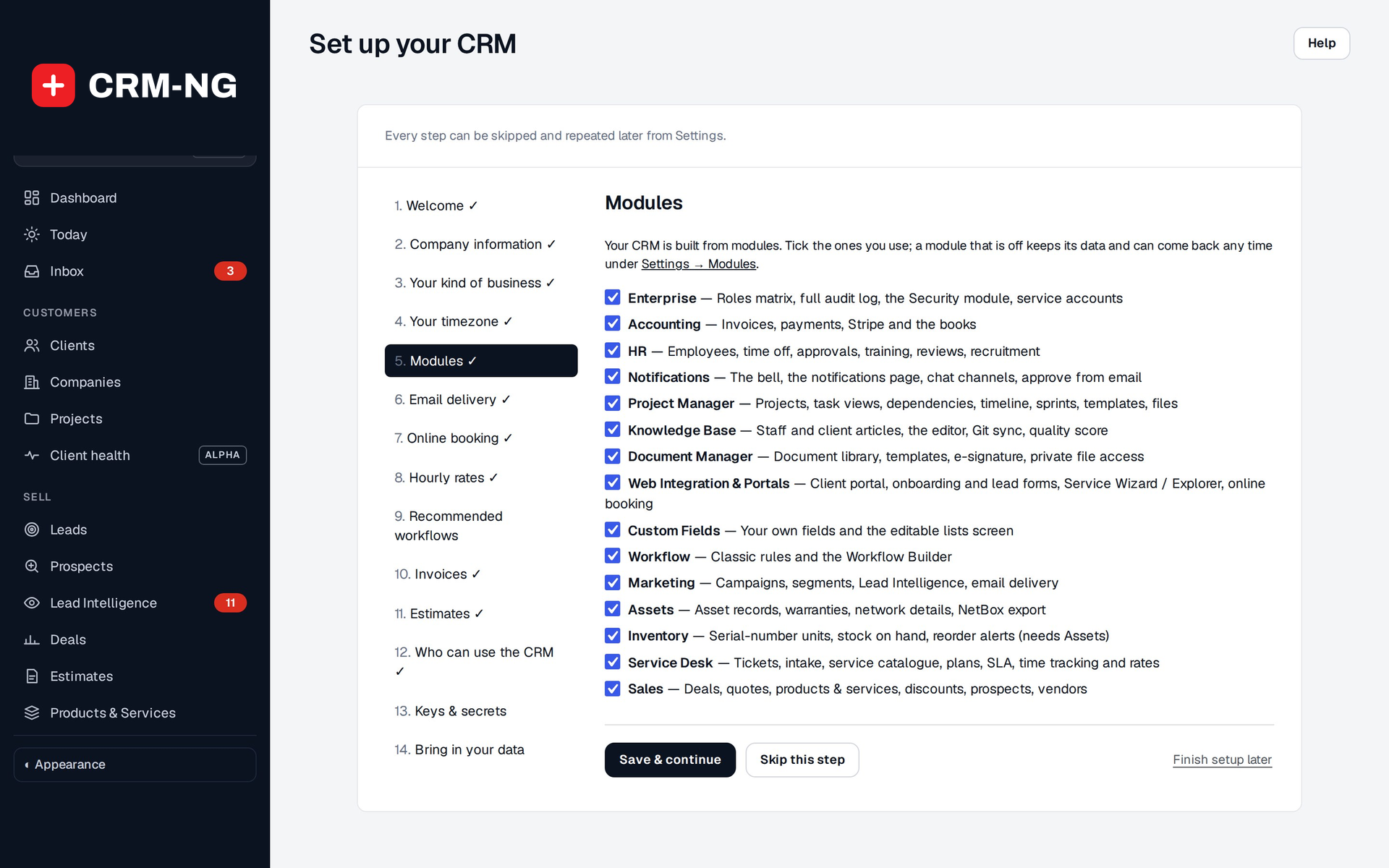
A tick box for each installed module, with the same rules as Settings → Modules: a module another one needs cannot be unticked while that one is ticked.
Email delivery
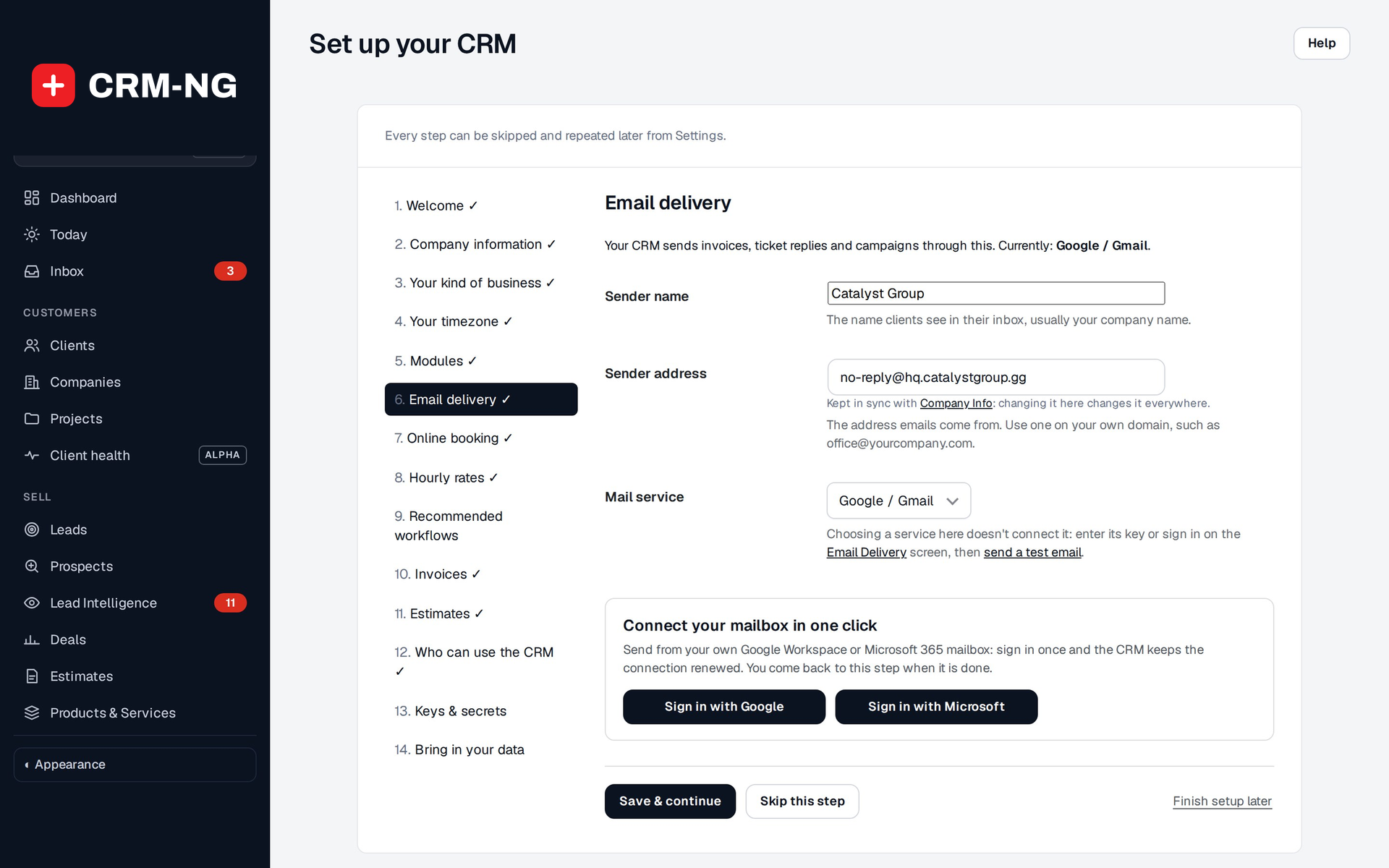
Connects the mailbox your workspace sends from. One-Click Setup connects Gmail / Google Workspace or Microsoft 365 / Outlook: sign in with the mailbox and approve sending. A link sends a test email so you know it works before your first client email goes out. See Email delivery.
Online booking (Web Integration & Portals)
Online booking runs on Booking Hub. If it is not switched on, the step says so and can be skipped. If it is, the step lists your services and team members and creates the booking page.
Hourly rates (Service Desk)
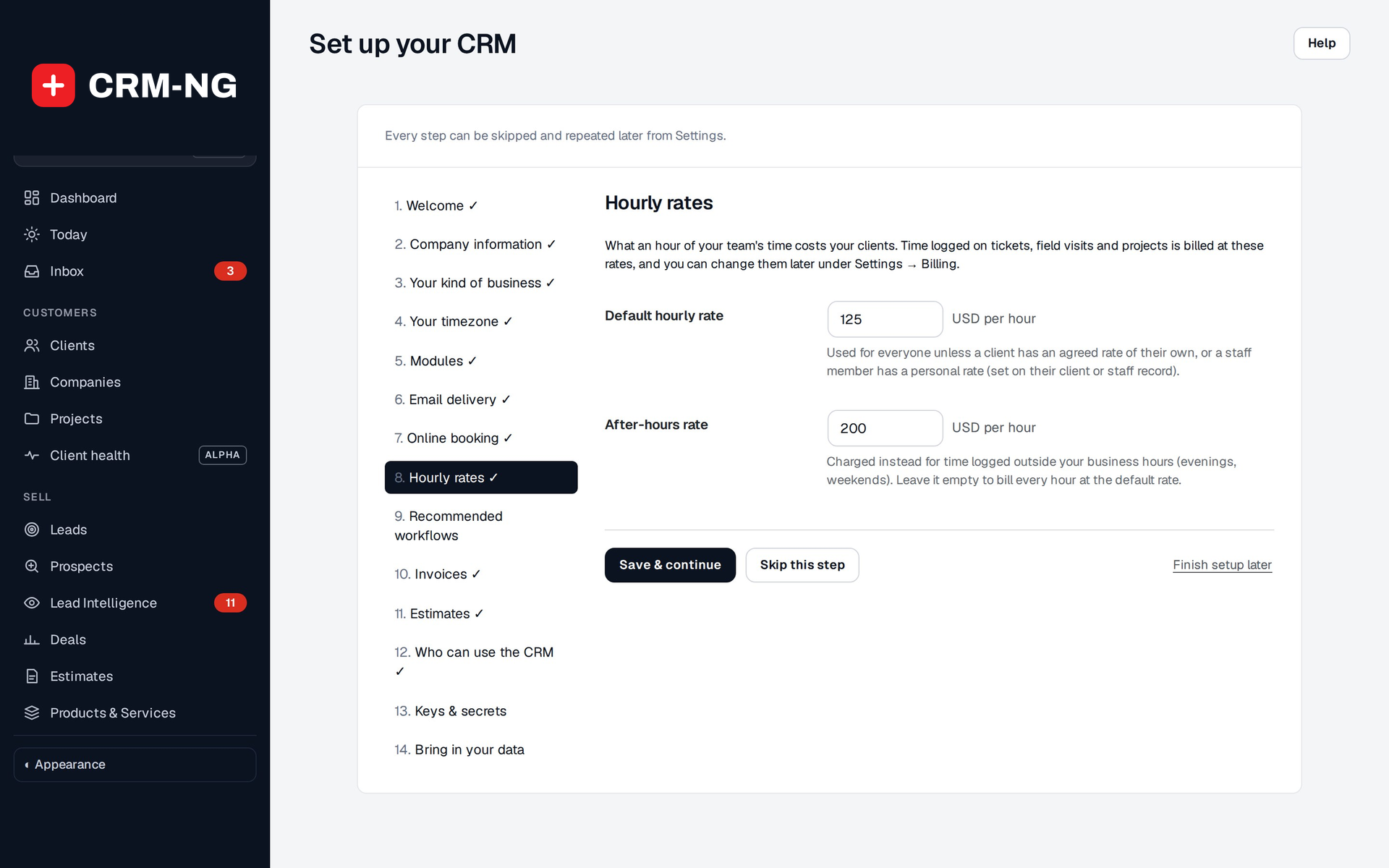
The default rate that logged time is billed at. When time is logged, CRM-NG picks the rate in this order:
- The client's own rate, if one is set on their record
- The staff member's rate, if one is set on their profile
- This default rate
Any discount from the client's service plan is applied after that. The rate is fixed at the moment the time is logged, so changing a rate later never re-prices work already done.
Invoices (Accounting)
What new invoices start with: default tax rate and payment terms. Change them per invoice, or later under Settings → Billing, where you also connect Stripe for card payments.
Estimates (Sales)
What new estimates start with: how many days an estimate stays valid, and your terms & conditions.
Self-hosted sites have two more steps
On a self-hosted site the wizard also asks Who can use the CRM (which WordPress
roles can open it) and Keys & secrets (moving encryption keys into wp-config.php). A Cloud workspace
handles both for you.
Expected result
The last screen says All set, with links to Settings → Modules and Settings. Your company details are on your letterhead, your lists are seeded, and dates are in your timezone.
Next: your workspace.