The portal, forms and documents
Make it clear what the customer needs to do next.
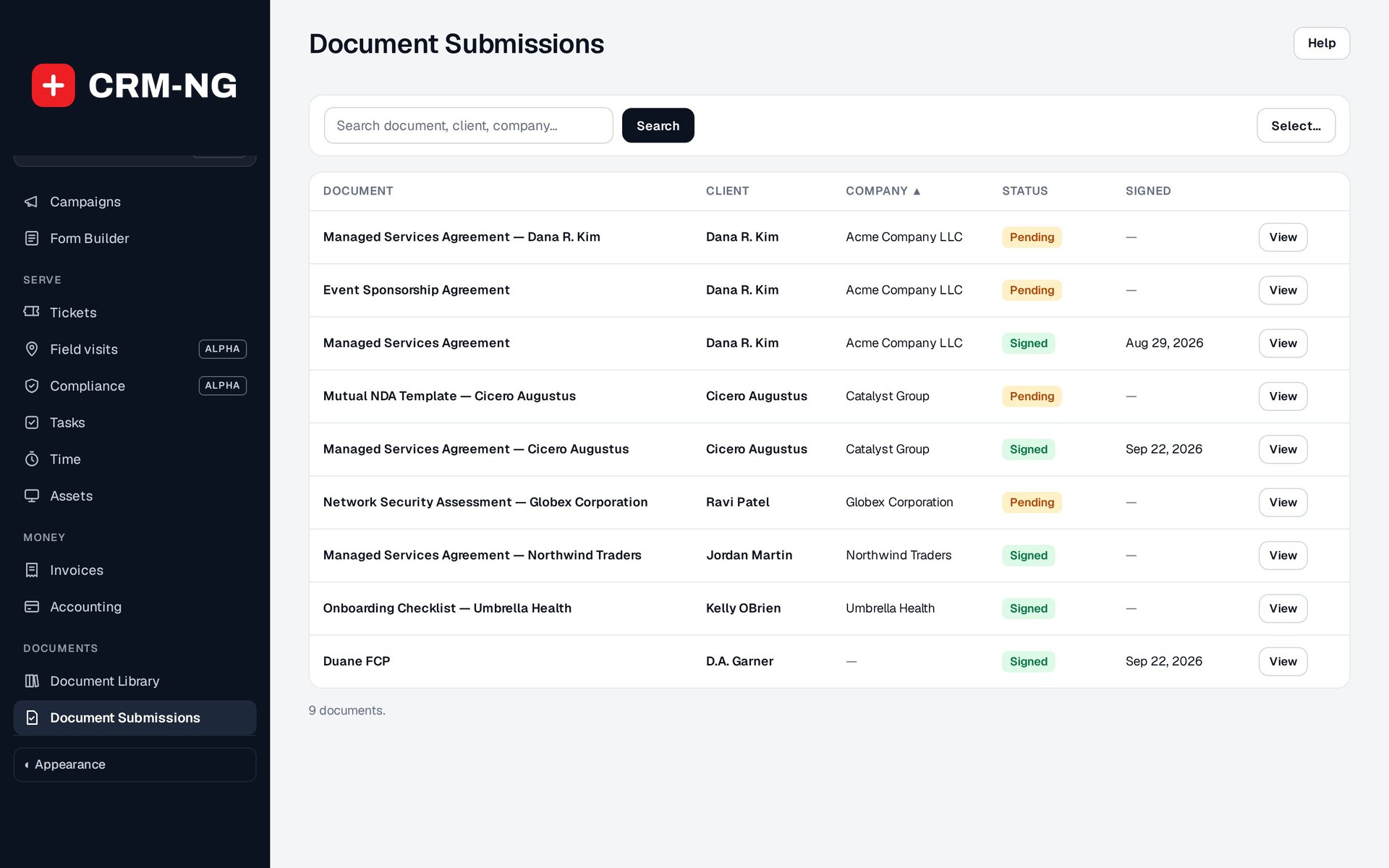
The Documents screen shows assigned copies and whether they have been signed or are still waiting for completion.
After a sale, customers often need to provide information, sign a document and wait for staff to complete the setup. CRM-NG gives each part of that process a place where its progress can be checked.
Onboarding forms collect the information your team needs to begin. The document library holds templates that can be assigned to a customer for signing. Client and company records help staff see which forms and documents are still outstanding.
Keep customer actions and staff tasks in step
For example, you might assign an intake form and a service agreement, then create an onboarding project for the internal setup work. Staff can follow up on the missing information while continuing the tasks that are ready to begin. A completed form, signed agreement and finished setup each retain their own status.
The client portal also gives customers access to their permitted support requests and documents. Ordinary clients can be limited to their own tickets, while broader company access can be granted through the appropriate role and plan settings.
A knowledge base provides reusable answers for common questions and can suggest relevant articles before a customer submits a ticket. Staff can use those same articles when replying, keeping advice more consistent across the team.
Read more: Client portal · Documents and signatures · Onboarding forms · Knowledge base