Accounting and bank reconciliation
See how the financial records relate to the work your team has done.
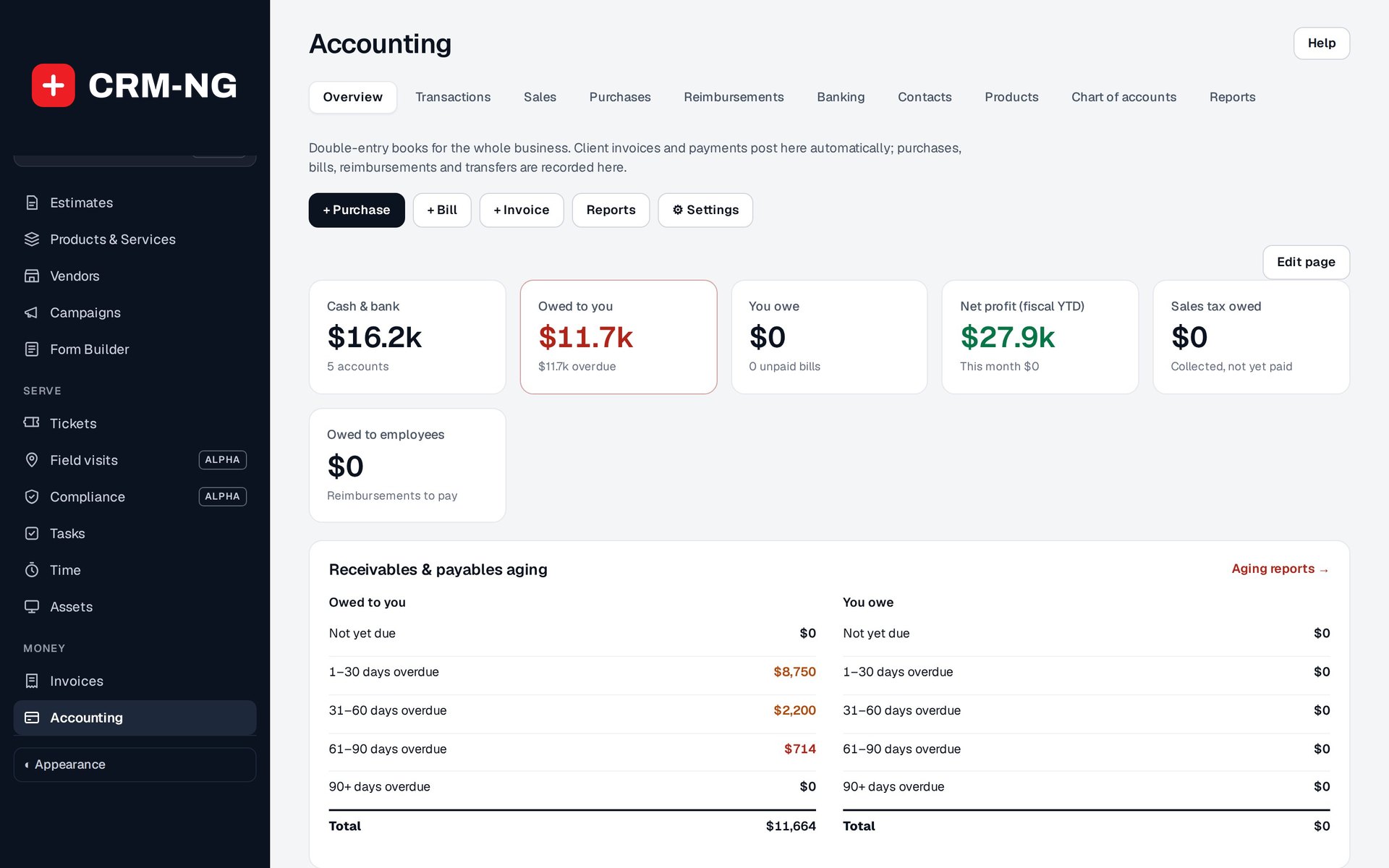
The Accounting overview summarizes receivables, payments, purchases and the resulting financial records.
The Accounting module records eligible CRM invoices and payments as balanced journal entries. It also supports purchases, supplier bills, employee reimbursements and bank imports, so the person responsible for the books can review income and spending in one place.
Because Accounting uses the application's customer, supplier and product records, staff do not have to maintain an unrelated contact list for every financial transaction. They can open the records behind a report to understand how a balance was reached.
Work through the month with a clearer record
Recurring bills can help with regular supplier charges. Billable expenses can prepare draft customer charges for costs you need to recover. Bank reconciliation lets you compare recorded transactions with statement activity and distinguish recorded payments from cleared items.
Fifteen report views cover financial statements, account and journal details, aging, sales, inventory, tax and expenses. The accountant export package brings selected reports and supporting records together for review.
Setup matters here. Currency, tax, inventory and closing-date rules affect how transactions are recorded. The reference explains those settings, including the limitation that some changes made in the CRM can still update Accounting after a closing date has been set.
Read more: Accounting setup · Purchases and bills · Bank reconciliation · Accounting reports