Prospects and outreach lists
Track organizations you plan to approach without adding them to your client directory.
Needs: Core
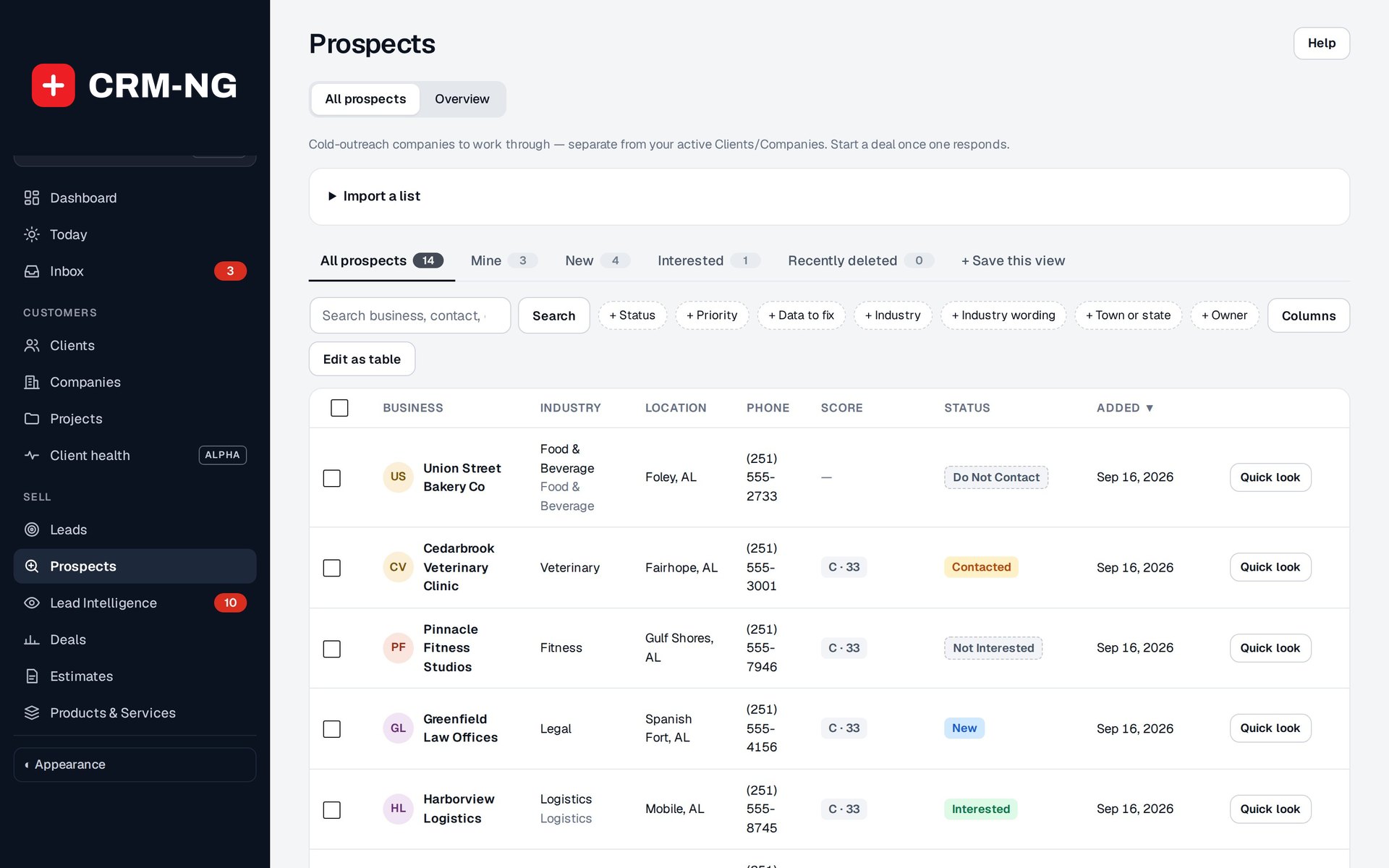
Example prospects show the organization, industry, priority and outcome of contact attempts.
Prospects is intended for company-based outreach. It keeps potential organizations separate from active customer accounts while giving staff a place to record contact attempts, interest and the next follow-up.
Import a list
Use the Prospects import controls for a CSV or XLSX file. Read the expected columns and any mapping or preview shown by the importer. Try a small sample first, then check the resulting company names, contact details, sources and statuses before importing the full list.
Search for an existing organization before adding another row. Importing contact details does not subscribe those people to marketing messages; campaign preferences still need to be handled through the appropriate contact records.
Record outreach
- Open the prospect and review its company and contact information.
- Set the priority and next follow-up date.
- Record the contact attempt and result in the notes.
- Update the status to match what happened: New, Attempted, Contacted, Interested, Not Interested, Do Not Contact or Converted.
- When the discussion becomes a specific opportunity, use the supported action to create a deal and continue in the sales pipeline.
Respect Do Not Contact in your outreach process. It describes the prospect's status; it does not replace unsubscribe handling on a separate campaign contact.
Find the next follow-up
Filter by status and priority to see which organizations need attention. Keep dates and notes for deferred or unsuccessful attempts, so the next person can understand why the company was approached and what response was received.
When handing a prospect to a salesperson, make sure the record explains the agreed next step. That avoids rebuilding the conversation from the original spreadsheet.