Assets and inventory
Track equipment, stock quantities, warranties and the customers or employees using them.
Needs: Core
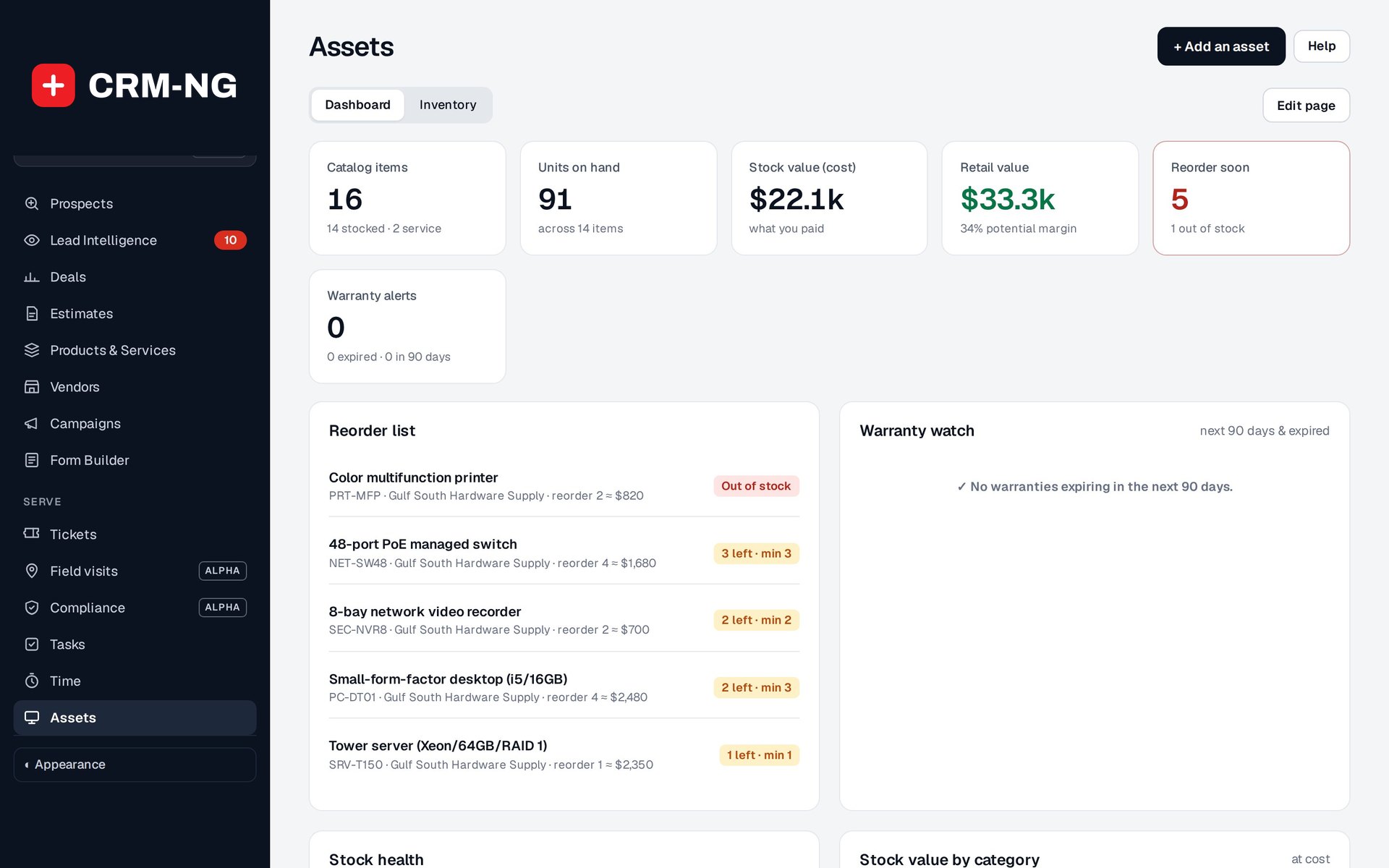
The inventory screen brings stock quantities, reorder levels, supplier information and warranties together.
Use Assets to record equipment and stock your organization supports, holds or sells. The dashboard summarizes stock value, reorder levels, suppliers and warranties. Open the underlying inventory records when you need the details of a particular item.
Choose how the item will be tracked
Use serial tracking when each unit needs its own identity, as with a network appliance. Use bulk quantities for interchangeable items, such as a box of identical consumables. Choose the model before entering stock or connecting purchases to the product.
Record the SKU, name, category, vendor, cost, selling price, quantity, reorder level, warranty and location as needed. Network fields can hold additional equipment details where enabled. Passwords and other credentials should be stored through your organization's credential-management process rather than in an asset description.
Add equipment and use it in a job
- Search the inventory to check whether the product or unit already exists.
- Add its identifying details and stock information, then check the saved quantity or unit list.
- Use the available controls to associate the equipment with the relevant customer, ticket or other work.
- Before adding it to ticket billing, check the serial unit, quantity and price.
- Review low-stock and warranty lists regularly and arrange any ordering or renewal work they reveal.
For supported non-serialized products, purchases can increase stock automatically. Serialized purchase lines do not create individual serial records through that quantity update; enter and check those units through the inventory controls.
Exports and employee equipment
Settings → Assets & NetBox contains the available export and integration settings. Check a sample export against the destination's field mapping before using it for a larger transfer. Two-way synchronization with a live NetBox installation was not verified for this guide.
HR also tracks employee equipment assignments and recovery. Use those records during transfers or offboarding to identify items that need to be returned.